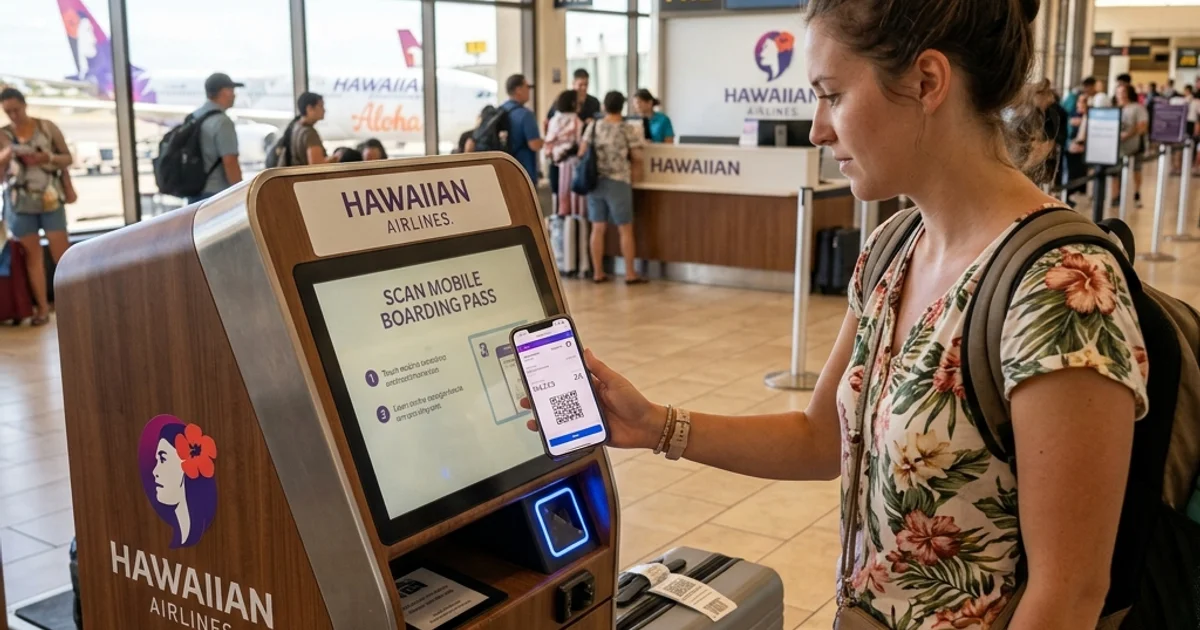
Hawaiian Airlines opens check-in for eligible passengers starting 24 hours before scheduled departure across its official website and mobile application. Checking in early lets you confirm traveler details, review or adjust seat selections, pre-pay checked luggage, and download digital boarding passes. Because Hawaiian Airlines shares an integrated passenger service platform with parent company Alaska Airlines while maintaining its distinct brand identity, travelers experience modern self-service lobby workflows, including automated bag-tag stations. Airport deadlines and bag-drop cutoffs vary by destination and airport. Completing check-in on time prevents gate denial and ticket forfeiture.
Independent Travel Disclosure: Farewander is an independent travel planning and informational platform. Farewander is not Hawaiian Airlines or Alaska Air Group and is not an authorized airline ticketing representative. To check in directly or review active bookings, visit the official Hawaiian Airlines Check-In Portal.
Hawaiian Airlines Check-In at a Glance
| Check-In Detail | What Travelers Need to Know |
|---|---|
| Online Check-In | Opens 24 hours prior to scheduled departure via website; closes 45–60 minutes prior depending on route. |
| Mobile Boarding Pass | Available on the mobile app, via SMS/email, and downloadable to Apple Wallet or Google Wallet. |
| Airport Check-In | Self-service bag-tag stations and full-service agent counters open 2.5 to 3.5 hours before departure. |
| Checked Baggage | Must be tagged and handed over at bag drop before route cutoff; digital check-in does not count as bag acceptance. |
| Airport Arrival | 90 minutes for Neighbor Island (60 min carry-on only); 2 to 2.5 hours for Mainland; 3 hours for International. |
| Final Cutoff | Strictly enforced: 45 min for Neighbor Island, 45–60 min for Mainland, 60 min for International. Boarding gates close 15 min (domestic) or 20 min (international) before pushback. |
How to Check In Online for Hawaiian Airlines
Completing digital web check-in takes only a few minutes from any web browser:
- Access the Official Portal: Navigate to the Hawaiian Airlines Check-In Page.
- Retrieve Your Reservation: Enter your 6-character confirmation code (PNR) or 13-digit e-ticket number along with the traveler's legal last name.
- Review Traveler & Itinerary Details: Verify passenger names, flight segments, and ensure frequent flyer credentials (such as HawaiianMiles or partner programs) are attached.
- Input Travel Documents: Enter passport data, expiration dates, and destination residency or contact information if traveling on an international flight.
- Manage Cabin Seating: Review complimentary standard seat assignments or purchase Hawaiian Airlines Seat Selection upgrades such as Extra Comfort.
- Declare Checked Baggage: Specify the number of bags you intend to check and pay applicable baggage charges online to save time at the airport. Review route-specific limits on our Hawaiian Airlines Baggage Allowance guide.
- Obtain Boarding Passes: Generate your boarding pass and choose your delivery preference: save to your mobile device, add to your digital wallet, or print a physical copy at home.
- Follow Airport Next Steps: If traveling carry-on only, proceed straight through TSA security screening upon arrival. If checking bags, head directly to an airport bag-tag station.
Comparing Fares for Your Route?
Search live multi-airline schedules, spot discount windows, and baggage fee rules on FareWander.
How to Check In Using the Hawaiian Airlines App
The official Hawaiian Airlines mobile app (available on iOS and Android) integrates with the shared Alaska Air Group backend architecture, providing an updated digital interface.
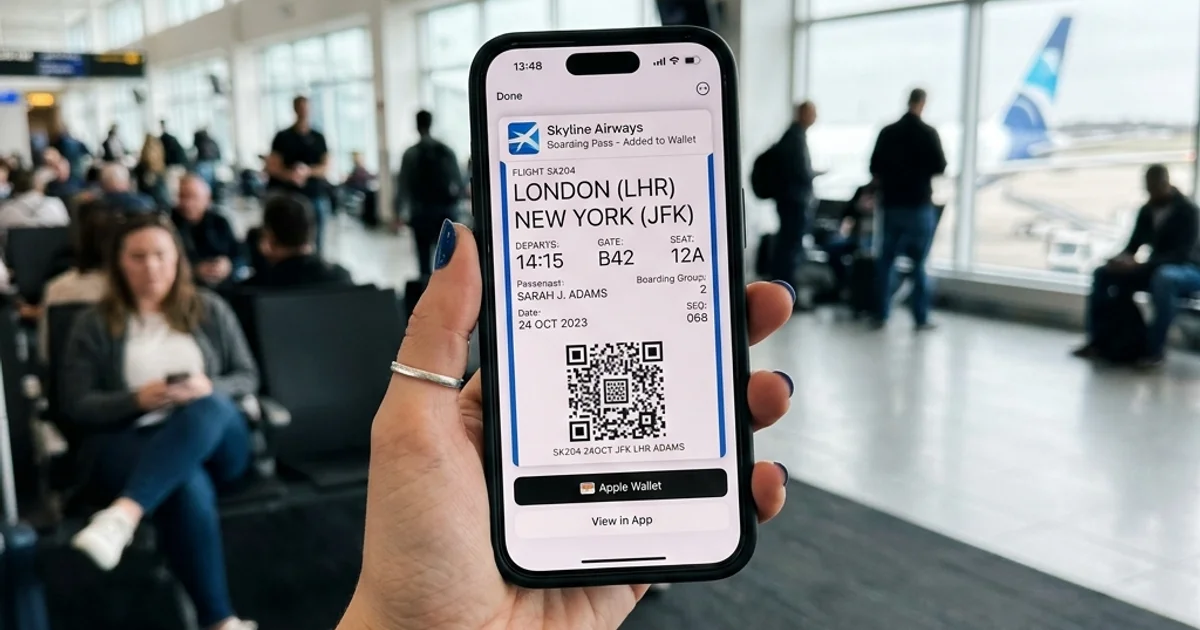
- Accessing Reservations: Open the app and select the check-in prompt on the home screen, or enter your confirmation code and last name to retrieve your flight.
- Digital Boarding Pass Integration: After completing the prompts, save your digital boarding pass directly to Apple Wallet or Google Wallet for offline gate access.
- Baggage and Seat Tools: Add luggage counts and review cabin seat maps in real time.
- Real-Time Alerts: Receive push notifications regarding gate reassignments, flight delays, and boarding group calls.
- Airport Compatibility: Digital mobile boarding passes are accepted at almost all domestic U.S. and inter-island airports. Certain international departure stations require a physical paper boarding pass issued by an airport counter agent due to local document-control mandates.
Hawaiian Airlines Check-In Times and Deadlines
Online check-in opening windows and physical airport deadlines are distinct requirements. While web check-in opens 24 hours prior to departure, arriving at the airport does not grant an exemption if bag-drop or counter cutoffs have elapsed.
| Flight Category | Recommended Arrival | Check-In / Bag-Drop Cutoff | Notes & Exceptions |
|---|---|---|---|
| Neighbor Island (Inter-Island) | 90 minutes (60 min carry-on only) | 45 minutes before departure | Boarding doors close 15 minutes prior to departure. |
| North America / Mainland U.S. | 2 to 2.5 hours (up to 3 hrs during holidays/peak banks) | 45 to 60 minutes before departure | Strict 60-minute cutoff applies at busy hub stations (e.g., HNL, LAX, SFO, SEA). |
| International | 3 hours before departure | 60 minutes before departure | Certain stations (Haneda, Sydney, Auckland) recommend 75–90 min buffer for manual passport checks. Boarding closes 20 min prior. |
Note: Airport check-in cutoffs mean your bags must be fully accepted and your boarding pass issued. Arriving at the lobby ticket queue 5 minutes before the cutoff does not guarantee completion before the system closes.
What Documents Do You Need to Check In?
Have the following documents readily accessible:
- Confirmation Reference: Your 6-character Hawaiian Airlines alphanumeric booking code (PNR) or 13-digit ticket number.
- Domestic Photo Identification: For travelers aged 18 and older flying domestically within Hawaii or to the mainland, a REAL ID-compliant state driver's license, state ID, or U.S. passport is required per federal standards.
- International Travel Documents: A valid machine-readable passport with at least six months of validity beyond your intended return date (depending on the destination).
- Visas and Travel Authorizations: Official entry visas, electronic travel authorizations (such as the Australian ETA, New Zealand NZeTA, or U.S. ESTA for arriving visitors), and return or onward tickets. Check destination requirements directly with official government immigration authorities.
- Special Assistance Documentation: Veterinary health documentation and Hawaii Department of Agriculture clearance paperwork for pets, or medical equipment documentation if traveling with approved personal oxygen concentrators.
Planning Travel Logistics?
Use FareWander tools to calculate flight times, luggage rules, and visa requirements.
Hawaiian Airlines Boarding Pass: How to Get It
Completing the check-in steps is the prerequisite to obtaining your boarding pass, but the two are not identical. A boarding pass provides actual entry through TSA security checkpoints and onto the aircraft.
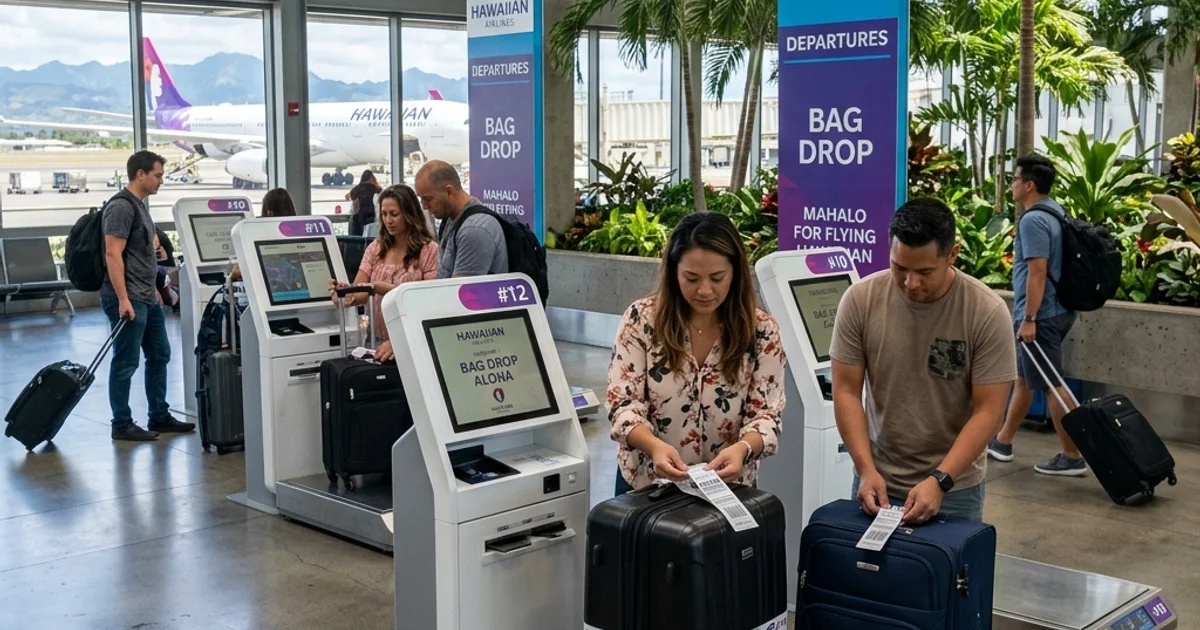
Digital and Online Retrieval
- Mobile App: Boarding passes generate automatically upon check-in inside the mobile app and can be stored in Apple Wallet or Google Wallet.
- Web Check-In: You can email a secure link to your smartphone, text a mobile boarding pass link, or print a hard-copy PDF boarding pass directly from your computer.
Airport Counter & Kiosk Retrieval
- Self-Service Touchpoints: Airport kiosks operate primarily as bag-tag stations to manage luggage, though select terminals permit printing paper boarding passes.
- Ticket Counters: If digital issuance fails or you do not have a smartphone or home printer, an agent at the Hawaiian Airlines check-in desk will verify your identification and print a standard boarding pass at no cost.
- Unusable Digital Passes: If your phone runs out of battery, your screen is damaged, or the scanner at TSA fails to read the QR code, visit the check-in desk or an airport customer service counter for a printed replacement.
What If Hawaiian Airlines Online Check-In Is Not Working?
If you encounter an error when attempting to check in online or through the mobile app, follow this troubleshooting guide:
| Problem | Possible Reason | Recommended Action |
|---|---|---|
| Reservation Not Found | Misspelled last name, typing error in confirmation code, or using an agency reference | Verify your 6-character airline code against your original receipt; enter only your legal last name. |
| Check-In Unavailable | Window has not opened (more than 24 hours prior) or itinerary has unconfirmed schedule updates | Check flight departure timing via Hawaiian Airlines Flight Status or acknowledge schedule changes in Hawaiian Airlines Manage Booking. |
| Boarding Pass Not Generated | International document checks required, or passenger flagged for airport verification | Complete check-in steps online, then present your passport to an agent at the airport ticket desk. |
| Seat Selection Unavailable | Fare restrictions (e.g., Main Cabin Basic auto-assigns seats) or fully booked cabin inventory | Complete check-in; an automated seat will be assigned at check-in or by gate agents. |
| International Document Warning | Destination visa or entry authorization cannot be validated digitally | Gather physical passports and visas; arrive 3 hours before departure for manual check-in. |
| Check-In Window Closed | Mandatory airport check-in cutoff has passed (within 45–60 minutes of flight) | Proceed immediately to an airport ticket counter; do not assume gate boarding is still permitted. |
| Operating Carrier Mismatch | Flight is a codeshare operated by a partner airline (e.g., Alaska Airlines, Japan Airlines) | Check in on the operating carrier's website or app using their separate partner booking code. |
Checking In With Checked Baggage
Checking in online registers you for the flight, but it does not mean your baggage has been accepted. Checked luggage must be physically processed and handed over before the baggage cutoff deadline.
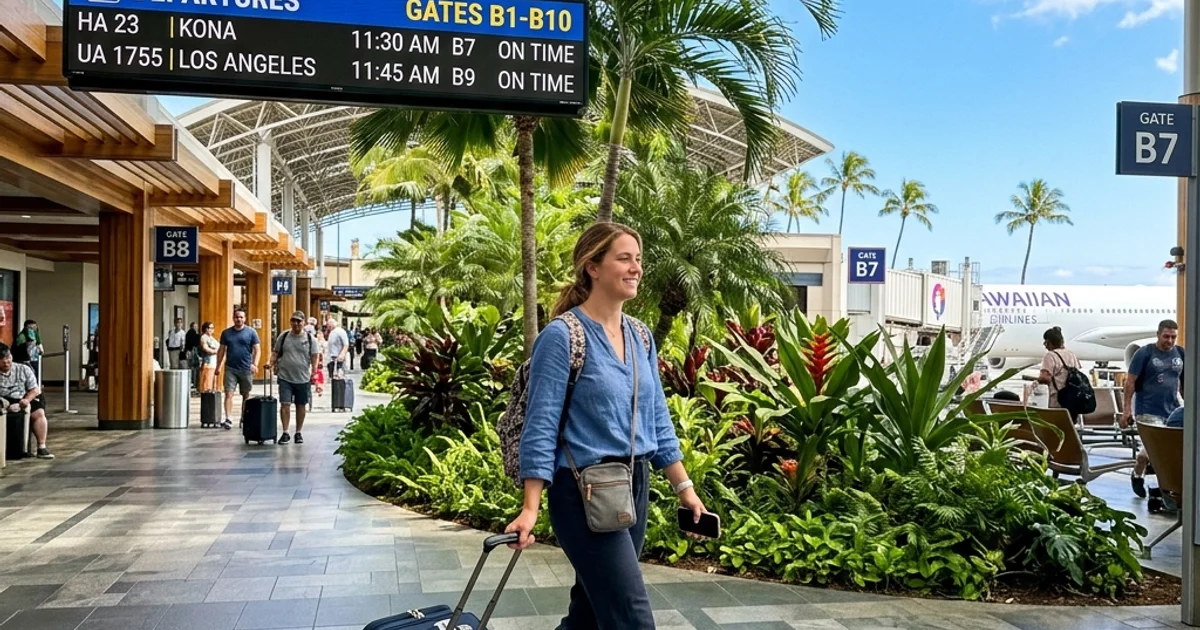
- Pre-Pay Online: Declare your checked bags during the 24-hour web or mobile check-in window to bypass payment lines at the airport.
- Locate Airport Bag-Tag Stations: At the airport departure lobby, head to the self-service bag-tag stations.
- Scan and Print Tags: Scan the barcode on your mobile or paper boarding pass to print adhesive baggage tags.
- Attach Tags Securely: Peel and affix each tag around the top handle of your suitcase.
- Drop Bags at the Belt: Bring your tagged luggage to the designated bag-drop belt or agent station. An agent will verify baggage weights (standard 50 lb limit for economy, 70 lb for First/Business) and verify your photo ID.
- Retain Bag Receipts: Keep your peel-off baggage claim stubs until you collect your luggage at your final destination.
- Deadlines Matter: If you arrive at the airport bag-drop line with less time remaining than the mandatory cutoff (45 minutes for inter-island, 45–60 minutes for mainland, 60 minutes for international), the system will automatically lock out bag acceptance, and your bags will not travel on your flight.
Tips for a Smoother Hawaiian Airlines Check-In
- Confirm Terminal and Airport: Verify your departure terminal, especially at shared hubs like Honolulu (HNL), Los Angeles (LAX), and Seattle (SEA).
- Set a 24-Hour Reminder: Check in as soon as the 24-hour window opens to access unassigned seat inventory and secure digital passes early.
- Review Baggage Limits Before Leaving Home: Ensure your bags comply with the 62 linear inch maximum and standard 50 lb weight limit to avoid overweight fees at the counter.
- Keep Travel Documents Accessible: Do not pack passports, visas, or medications inside checked luggage; carry them in your personal item.
- Monitor Flight Status on Travel Day: Check for departure gate swaps or weather-related schedule changes before driving to the airport.
- Allow Ample Security Buffer: TSA screening queues during peak morning banks in Hawaii can be lengthy; plan your airport arrival accordingly.
Frequently Asked Questions
Online and mobile app check-in opens exactly 24 hours prior to scheduled departure for all eligible ticketed passengers.
Final Check-In Reminder
Check-in procedures, bag-drop deadlines, and airport lobby rules vary depending on your departure airport and itinerary. Always verify your travel requirements, terminal assignments, and entry documentation directly through the official Hawaiian Airlines Check-In Page before heading to the airport.