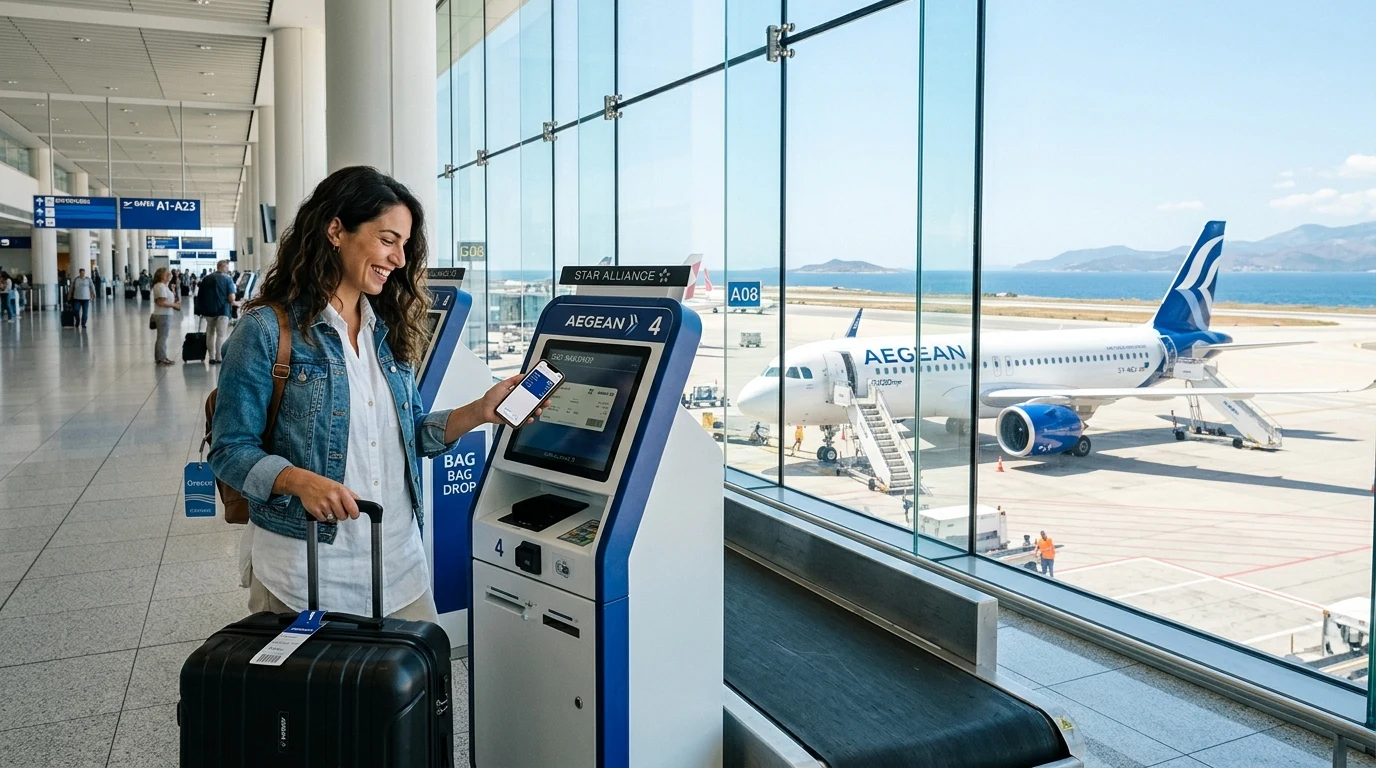
Checking in for a flight on Aegean Airlines (and its regional subsidiary Olympic Air) can be done via their desktop website, the mobile app, self-service kiosks, or airport counters. Checking in ahead of time on your computer or phone lets you select seats, confirm passenger details, and download your boarding pass before reaching the terminal. However, online check-in does not remove airport queues entirely if you have suitcases to drop off or documents to verify, and check-in closure deadlines vary by departure airport.
Aegean Airlines Check-In Options at a Glance
| Check-In Method | Where to Check In | Best For | What You Get |
|---|---|---|---|
| Online Check-In | Official AEGEAN website (aegeanair.com) | Travelers on laptops/desktops at home or the office | Printable PDF boarding pass or digital pass sent via email/SMS |
| Mobile App Check-In | AEGEAN mobile app (iOS & Android) | Travelers on the go who want digital passes on their phones | 2D barcode boarding pass saved to Apple Wallet or Google Wallet |
| Self-Service Kiosk | Select airport departure halls (e.g., Athens ATH) | Passengers arriving at the airport without advance check-in | Printed paper boarding pass and printed bag tags where supported |
| Airport Check-In Counter | Staffed AEGEAN terminal desks | Passengers needing assistance, pet travel, or in-person document checks | Physical paper boarding pass issued by ground staff |
When Does Aegean Airlines Check-In Open?
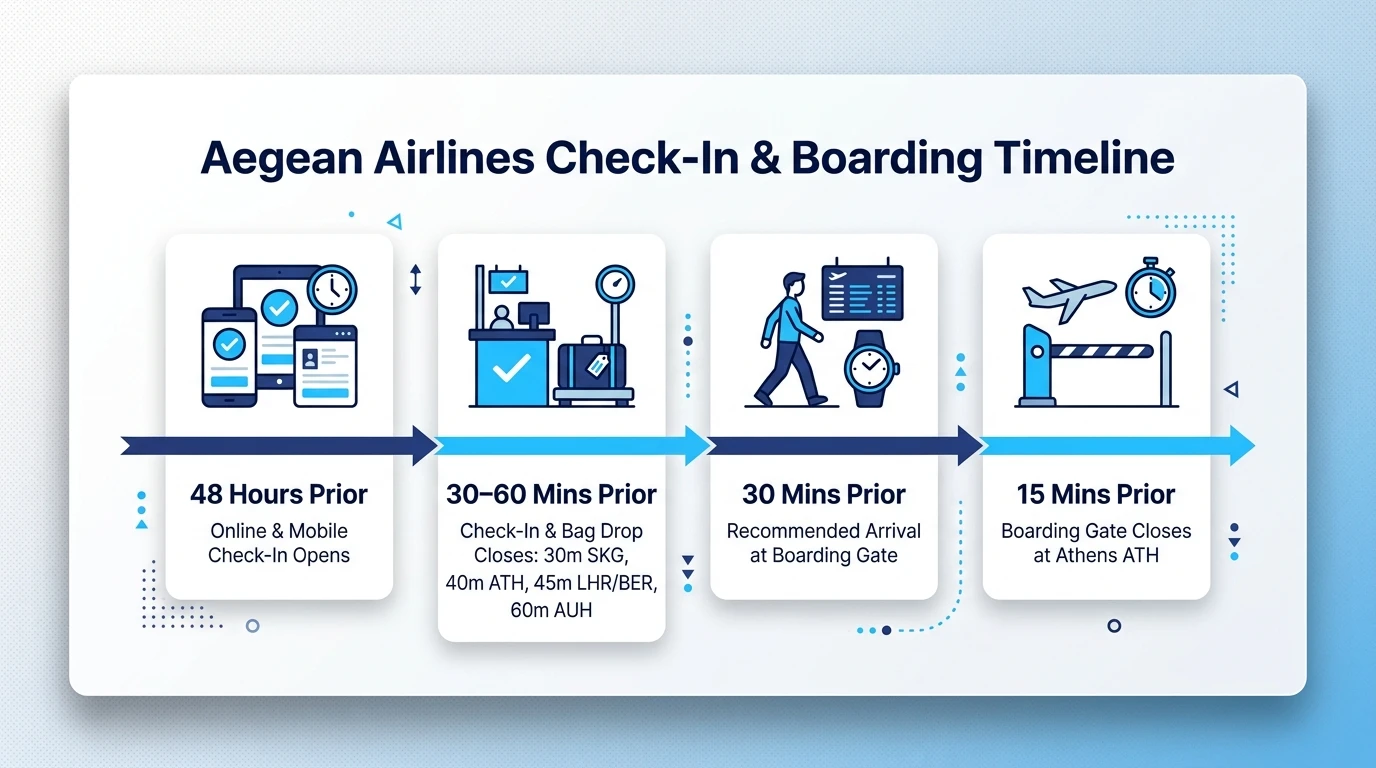
AEGEAN online check-in generally opens 48 hours before scheduled departure.
AEGEAN's exact check-in closure time depends on the departure airport. While online check-in frequently remains accessible until 30 to 60 minutes before scheduled departure depending on the station, you should never wait until the last few minutes. Technical glitches, network timeouts, or missing travel document entries can take time to resolve.
More importantly, completing check-in online does not pause the clock on physical airport operations. Airport processing time—such as dropping bags, clearing airport security, and walking to remote boarding gates—is entirely separate from online check-in availability. If you arrive after luggage drop desks or boarding gates have closed, holding a digital boarding pass will not hold the aircraft.
Comparing Fares for Your Route?
Search live multi-airline schedules, spot discount windows, and baggage fee rules on FareWander.
How to Check In Online With Aegean Airlines
Before you start, make sure you have the following ready:
- Your 6-character booking reference (PNR) or 13-digit e-ticket number (AEGEAN ticket numbers start with
390). - The passenger's last name exactly as entered during booking.
- Valid travel documents (passports, national IDs, or visas required by your destination).
Follow these steps to check in:
- Open the official AEGEAN check-in page: Go to aegeanair.com and select the Check-in tab on the main page.
- Enter the required booking information: Provide your 6-character booking reference or e-ticket number and the passenger's surname.
- Review passenger details: Confirm the names of everyone in your traveling party whom you want to check in.
- Confirm or select a seat: Review your pre-assigned seat or select a preferred seat from the seat map. Depending on your fare and AEGEAN seat selection rules, standard seats may be complimentary or require a fee. If you booked a Light fare and have not pre-purchased a seat, the system automatically assigns one free of charge. You can pay to switch to a preferred seat if available.
- Complete check-in: Confirm that all personal identity details match your travel documents, agree to the dangerous goods notices, and submit.
- Receive or download the boarding pass: Save the pass to your mobile device, export it to Apple Wallet or Google Wallet, or send a PDF copy to your email for home printing.
- Proceed based on baggage: If you have carry-on luggage only, head straight to security upon airport arrival. If you have suitcases to check, proceed to the dedicated baggage drop area.
Aegean Airlines Mobile Check-In
Mobile check-in works through the official AEGEAN app on smartphones running iOS or Android. The mobile check-in window follows the same timeline as the website, opening 48 hours prior to flight departure.
When you complete check-in on the app, your mobile boarding pass is generated as a high-contrast 2D barcode. You can store this pass in Apple Wallet, Google Wallet, or directly within the AEGEAN app for offline access.
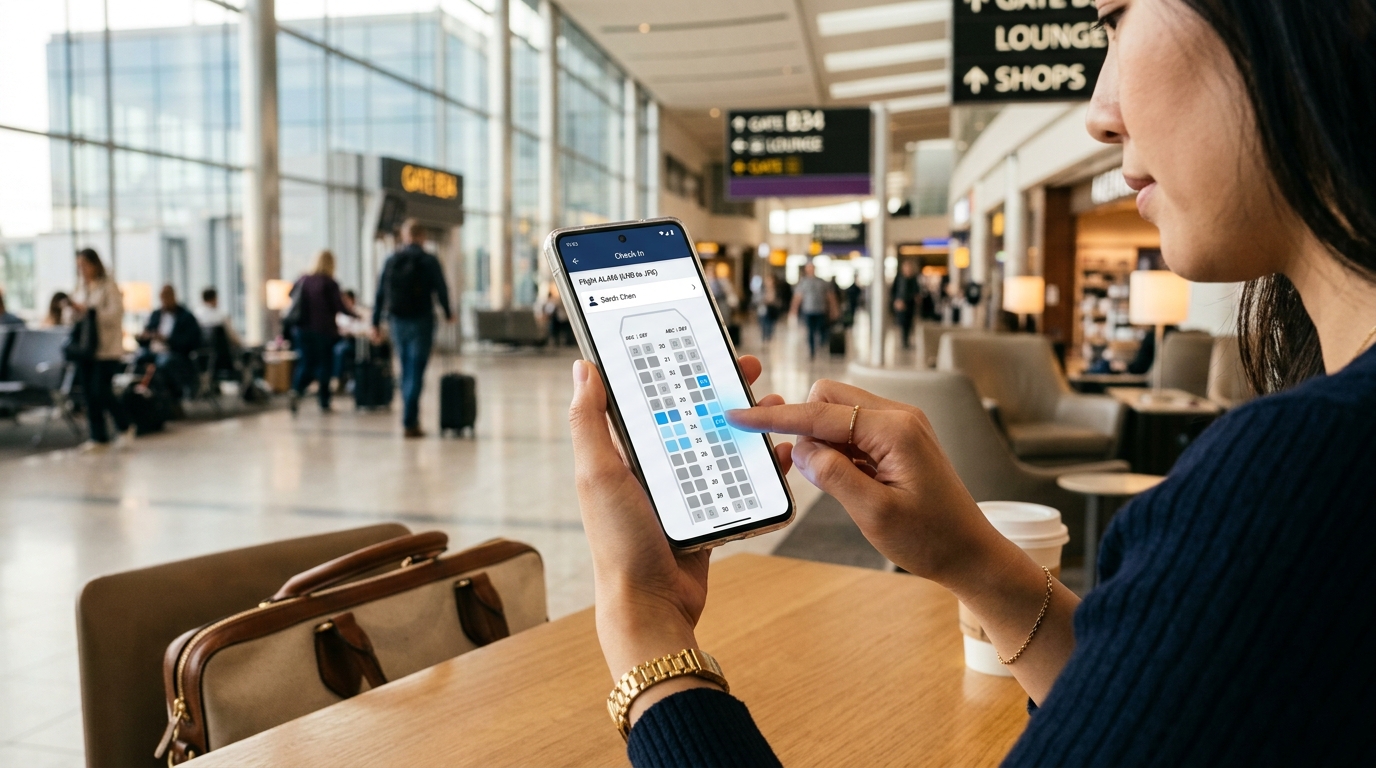
Keep these practical points in mind when relying on your phone:
- Barcode visibility: Keep your screen brightness turned up when passing through automated security gates and boarding scanners. A cracked screen or heavy privacy filter can sometimes prevent optical scanners from reading the code cleanly.
- Battery levels: Always ensure your device has sufficient charge to last through your airport arrival, security checkpoint, and final gate boarding.
- Travel document requirements: Carrying a digital boarding pass does not exempt you from showing physical passports or national identity cards to border police or gate agents.
- Airport limitations: Mobile boarding passes are accepted across most European airports, but not every airport supports 2D mobile barcodes. If you depart from an airport that lacks digital barcode infrastructure, the mobile check-in interface will issue a "Check-in Confirmation" instead of an active boarding pass. You must present this confirmation at an airport self-service kiosk or check-in desk to print a standard paper boarding pass.
Aegean Airlines Airport Check-In
If you prefer to check in at the airport, or if you belong to a traveler category that requires in-person processing, you can use physical airport facilities.
- Self-Service Kiosks: Available at select airports—most notably AEGEAN's primary hub at Athens International Airport (
ATH) and other major stations—kiosks allow you to pull up your booking using your passport, credit card, or 6-character PNR. You can review your seat, print a paper boarding pass, and print your own adhesive baggage tags. - Staffed Check-In Counters: Dedicated airline desks are staffed by AEGEAN or contracted ground-handling agents. These desks handle ticket questions, luggage acceptance, document checks, and boarding pass printing.
- Passengers Requiring Desk Check-In: Certain travelers cannot use web, mobile, or kiosk check-in and must visit a staffed counter. This includes unaccompanied minors (under 16 traveling alone), children booked on a separate reservation code from their accompanying adult, passengers traveling with pets in the cabin or hold, and travelers whose bookings require additional fare or tax payments. While passengers requesting mobility or wheelchair assistance can often complete initial check-in steps online, specific boarding pass issuance or required document validations may require visiting the airport assistance desk or contacting AEGEAN customer care depending on the itinerary.
Planning Travel Logistics?
Use FareWander tools to calculate flight times, luggage rules, and visa requirements.
Aegean Airlines Check-In Times and Deadlines
Check-in opening times are standard across the network, but closure times differ by airport. AEGEAN's exact check-in closure time depends on the departure airport.
| Situation | What Passengers Should Know |
|---|---|
| Online / Mobile Check-In Opening | Opens exactly 48 hours prior to scheduled departure across all routes. |
| Online / Mobile Check-In Closing | Typically closes 30 to 60 minutes before departure, depending on the departure airport's local rules. |
| Airport Check-In Desk & Bag Drop Closing | Station-specific. For example, check-in and bag drop close 30 minutes before departure at Thessaloniki (SKG), 40 minutes at Athens (ATH), 45 minutes at London Heathrow (LHR) and Berlin (BER), and 60 minutes at Abu Dhabi (AUH). |
| Boarding Gate Timing | AEGEAN advises arriving at the gate at least 30 minutes before departure. At Athens (ATH), boarding gates close strictly 15 minutes before takeoff. |
| Airport-Specific Differences | Deadlines vary depending on airport size, terminal layout, and border security requirements. Always consult AEGEAN's official airport-specific check-in closure table for your exact departure station. |
Missing your check-in or baggage drop deadline means you will not be cleared to travel, and options to rebook or refund will depend strictly on the fare rules of your purchased ticket.
What Happens After You Check In Online?
Once you finish check-in and have your digital pass, your next steps depend entirely on whether you are traveling light or checking luggage.
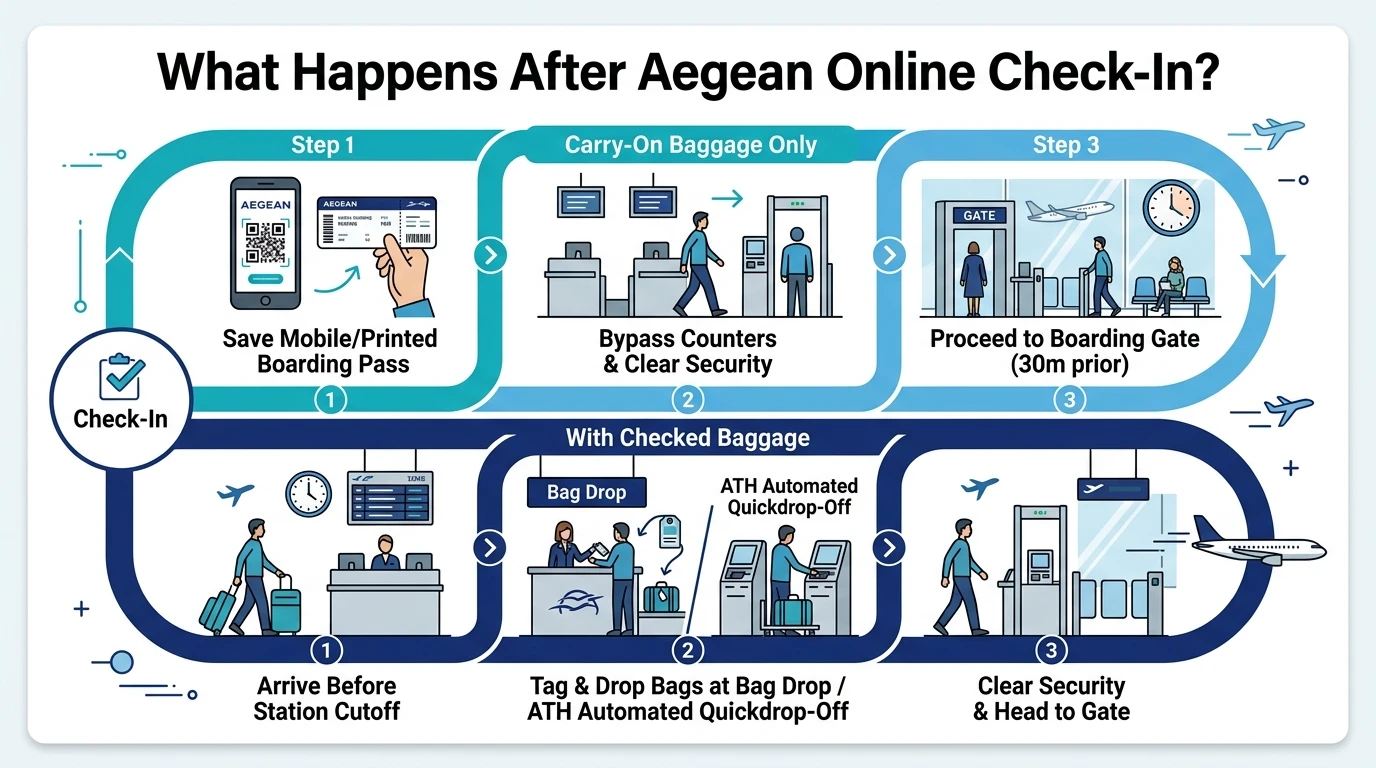
If you have NO checked baggage:
- Arrive at the airport with your digital or printed boarding pass and valid passport or identity card.
- Head straight to the security screening checkpoint, bypassing all ticket counters.
- Clear passport control if you are departing on a non-Schengen international flight.
- Monitor flight information display screens (FIDS) for your assigned boarding gate and arrive before the boarding gate cutoff.
If you HAVE checked baggage:
- Arrive at the airport with sufficient time to hand over your luggage before desk cutoffs.
- Follow overhead airport signage to the designated AEGEAN Baggage Drop desks. At Athens International Airport (
ATH), passengers checking luggage must use the automated self-service baggage quickdrop-off machines. - Present your boarding pass and travel document (or scan your barcode at the self-service machine) to tag and drop your bag onto the conveyor.
- Once your bags are checked into the aircraft hold, proceed immediately through security screening and onward to your departure gate.
Even if your flight has an announced delay on departure monitors, do not assume check-in and bag drop times are extended. Unless ground staff state otherwise, bag drop desks and security lines adhere to the original timetable.
Aegean Airlines Boarding Pass
Your boarding pass contains critical flight information: passenger name, flight number (e.g., A3 602), seat assignment, boarding group, departure time, and a scannable 2D barcode.
- Digital vs. Paper: Most airports across the AEGEAN network accept mobile boarding passes presented on a smartphone screen. However, you can also print a hard copy on an A4 sheet at home or visit an airport kiosk/check-in desk to print a standard paper pass free of charge.
- Scanning at Gateways: When scanning your boarding pass at automated security e-gates or the boarding gate, keep the 2D barcode centered and clearly visible against the glass surface. If you hold boarding passes for multiple family members on a single phone, swipe through to each unique passenger barcode individually.
Can You Check In With Checked Baggage?
Yes. If your ticket allows online check-in, you can and should check in online even if you are checking large suitcases.
Checking in for the flight registers you as a confirmed passenger on the aircraft manifest and secures your boarding pass. However, checking in for the flight is separate from checking in a physical bag. You cannot bypass the airport counters with a suitcase; you must drop your luggage at the designated baggage drop counter or automated self-drop unit before the airport's check-in closure deadline. If you hold an Economy Light fare that includes no baggage, you can use AEGEAN Manage Booking to add luggage ahead of time rather than paying higher rates at the terminal desk.
What If Aegean Online Check-In Is Not Working?
If you try to check in online and the system fails to pull up your itinerary, several common situations could be the cause:
- The check-in window is not active: Check-in opens exactly 48 hours prior to scheduled departure. If you attempt to log in at 49 hours, the system will not find an open session.
- Incorrect booking details: Verify that you are entering the airline's official 6-character PNR rather than a third-party booking reference issued by an online travel agency (OTA). Ensure your last name is spelled exactly as shown on the booking confirmation.
- Partner-operated flight: If your ticket was purchased through AEGEAN but the first leg is flown by another carrier (like Lufthansa or SWISS), online check-in must usually be completed through the operating airline.
- Special travel requirements: Bookings involving unaccompanied minors, pet transport in the cabin/hold, or certain special assistance categories are held for airport desk verification.
- Pending payments or schedule changes: Tickets with outstanding ancillary balances or unconfirmed operational schedule changes require counter assistance. If your flight has experienced disruptions, checking the live AEGEAN flight status will help confirm the operational timetable.
If troubleshooting online yields no result, do not panic. Arrive at the airport a bit earlier than usual and present your booking confirmation and passport at a staffed AEGEAN check-in counter, or reach out to AEGEAN customer care.
Aegean Airlines Check-In for Codeshare Flights
Codeshare flights involve two distinct airlines:
- Marketing Carrier: The airline that sold the ticket and whose flight number appears on your receipt (for example, an AEGEAN
"A3"flight number). - Operating Carrier: The airline that actually provides the aircraft, pilots, and cabin crew.
If your itinerary starts with a partner airline (such as a Star Alliance partner like Turkish Airlines or Lufthansa), check-in rules and system availability are determined by that operating airline. In most cases, you cannot check in on the AEGEAN website for a flight operated by another airline. Instead, locate the operating carrier's reservation code and check in via their website, app, or airport desk.
When your journey begins on an AEGEAN-operated flight and connects to a partner airline, you can generally check in for the entire journey through AEGEAN if both flights share a single booking. However, boarding pass issuance for the onward connection depends on system integration between the two carriers.
What Documents Do You Need for Aegean Airlines Check-In?
To complete check-in and board your flight, ensure your documentation is in order:
- Domestic Flights within Greece: Greek citizens can travel using a valid national identity card or passport. Other travelers must present a valid passport or government-issued national ID card accepted within the European Union.
- International & Schengen Travel: You must hold a valid passport or accepted national identity card. Depending on your citizenship and destination, you may also require an entry visa, residence permit, or electronic travel authorization.
- Name Matching: The name on your travel document must match the surname and first name entered during booking.
Because entry rules and passport validity criteria depend on your citizenship, destination country, and any intermediate transit hubs, always verify applicable immigration rules before departing for the airport.
Tips for a Smoother Aegean Airlines Check-In
- Check in 48 hours out: Log in as soon as the window opens to secure better remaining seat choices and avoid day-of-departure rushes.
- Review your fare's baggage rules: Make sure your cabin bag meets the AEGEAN baggage size and weight allowances of 8 kg and standard dimensions (
56 × 45 × 25 cmfor Airbus aircraft, or55 × 40 × 23 cmfor regional turboprops) to prevent gate-check issues. - Know your airport deadline: Check the closure time for your specific departure airport rather than relying on a general assumption.
- Download boarding passes offline: Save your digital pass to Apple Wallet, Google Wallet, or screenshot the barcode so you can open it without relying on airport Wi-Fi.
- Keep your phone charged: Bring a power bank in your carry-on bag (never packed in checked luggage) to keep your phone active through boarding.
- Use self-drop in Athens: If departing from Athens International Airport (
ATH) with checked luggage, head straight to the automated quickdrop-off desks to skip standard lines. - Verify the operating airline: If you booked a codeshare trip, double-check which carrier operates the first flight so you know which website or counter to use.
Frequently Asked Questions
AEGEAN online check-in opens 48 hours before scheduled flight departure. You can access it via the official desktop website or the mobile app using your 6-character booking reference and passenger surname.