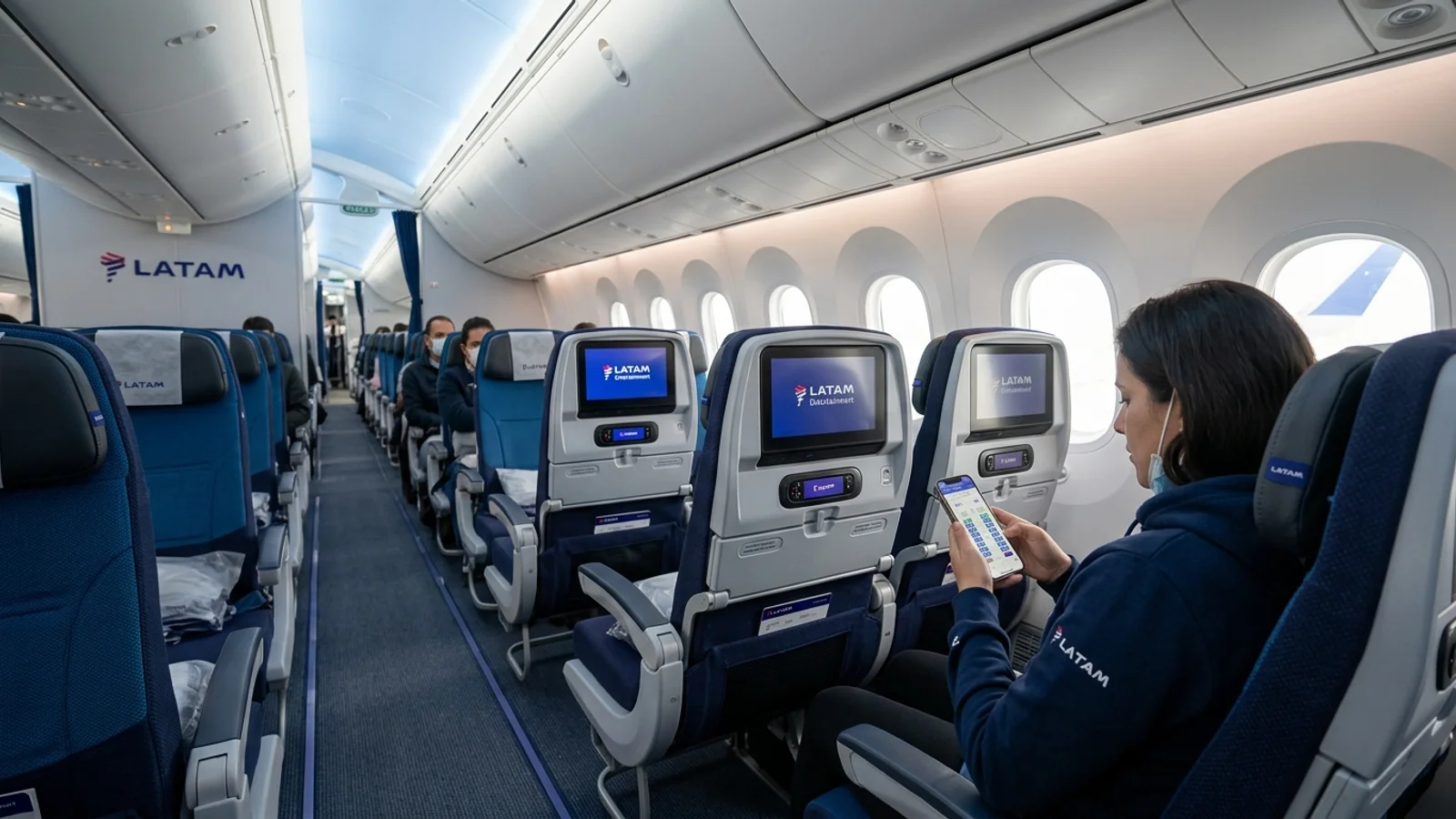
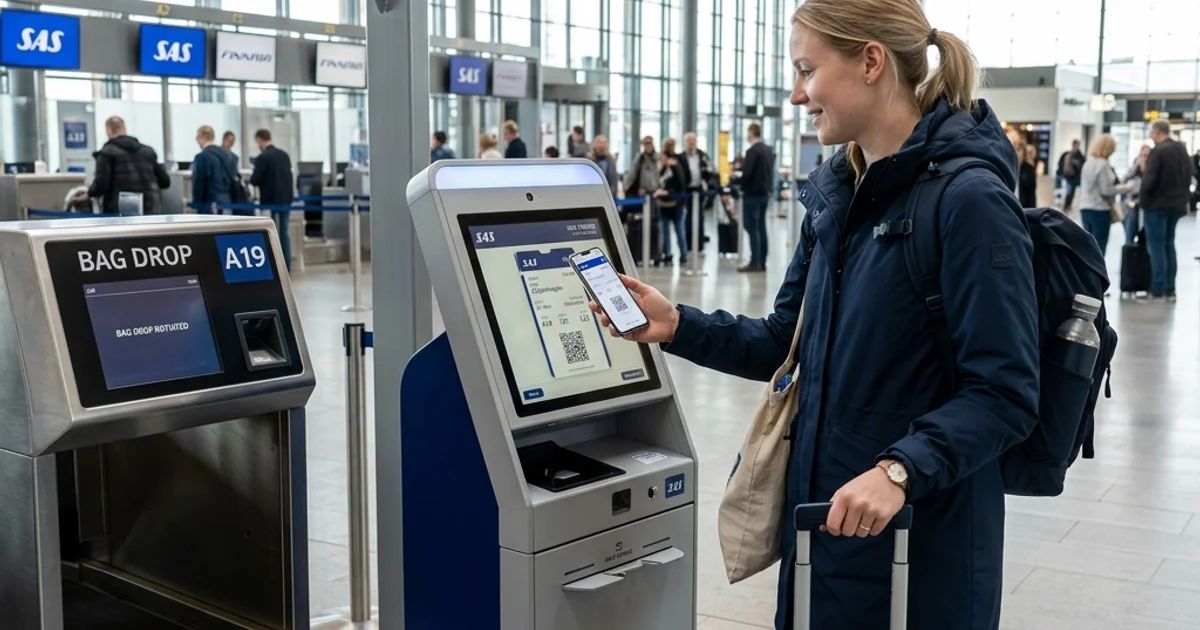
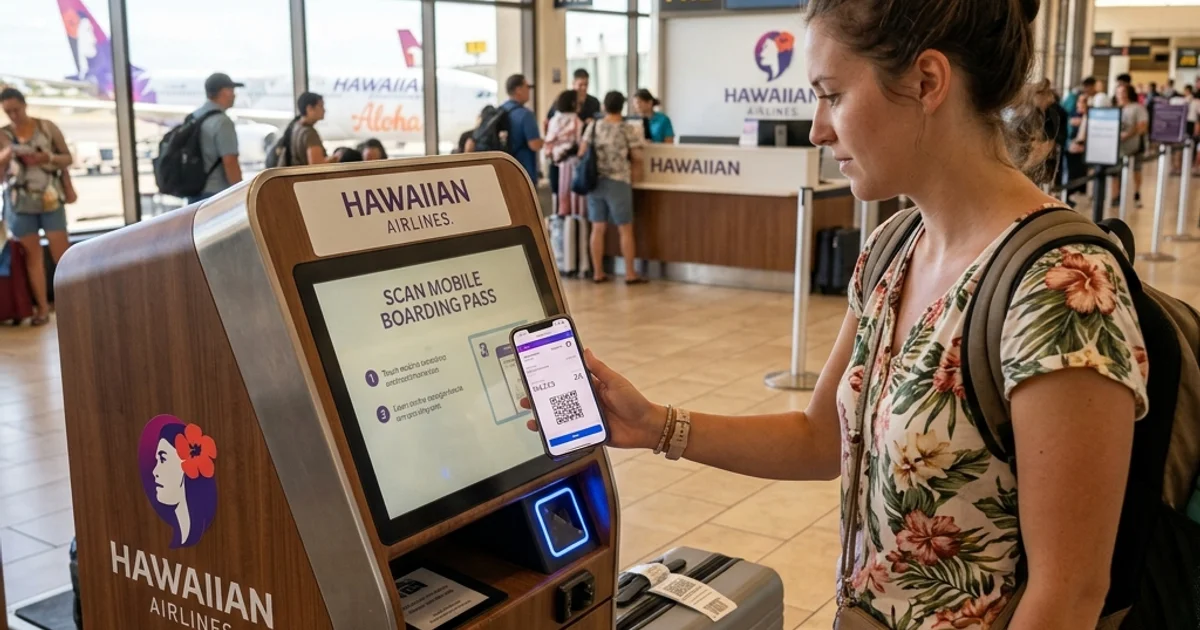
When flying with TAP Air Portugal, completing your check-in ahead of departure lets you secure your seat, verify travel documents, and download your boarding credentials. Eligible passengers can check in through the official TAP Air Portugal website or mobile app, while airport desks and self-service kiosks remain available on departure day. Because online opening windows differ between U.S. and non-U.S. routes—and physical bag-drop cutoff times vary by departure terminal—verifying your exact route requirements before heading to the airport prevents missed deadlines and travel delays.
 Completing online check-in ahead of departure lets you download your boarding pass and lock in seat assignments.
[!NOTE] Editorial Note: FareWander is an independent travel information guide and is not affiliated with TAP Air Portugal. Airline check-in policies, airport counter operating hours, and baggage drop deadlines depend on operating carriers, departure airports, and government regulations. Always verify your flight-specific check-in window and airport deadlines directly with TAP Air Portugal before traveling.
TAP Air Portugal Check-In at a Glance
The following overview outlines where, when, and how you can complete your TAP Air Portugal check-in across available channels:
| Check-In Method | Where to Check In | When It Is Available | Boarding Pass Availability | What to Verify |
|---|---|---|---|---|
| Online Web Check-In | Official TAP website (flytap.com) | 36 hours before boarding (24 hours for U.S. flights) | Digital PDF or mobile pass (route dependent) | Passport details, seat assignment, and local airport e-pass rules |
| TAP Mobile App | Official iOS and Android app | 36 hours before boarding (24 hours for U.S. flights) | Mobile wallet pass (Apple Wallet / Google Wallet) | Device battery, offline pass access, and booking reference |
| Self-Service Kiosk | Terminal departure halls at participating airports | Day of departure (typically opens 2–3 hours prior) | Printed paper boarding pass | Airport kiosk availability and baggage-tag printing support |
| Airport Check-In Counter | Staffed TAP desks at the departure airport | Day of departure up to airport-specific check-in cutoff | Physical paper boarding card issued by ground agent | Terminal cutoff deadlines, visa documents, and physical bag drop |
Self-service kiosks and digital boarding pass acceptance are not universal across all global airports served by TAP Air Portugal; operational availability depends on local terminal infrastructure.
When Does TAP Air Portugal Online Check-In Open?
The opening window for TAP Air Portugal online check-in is determined by your flight route and applicable government data regulations:
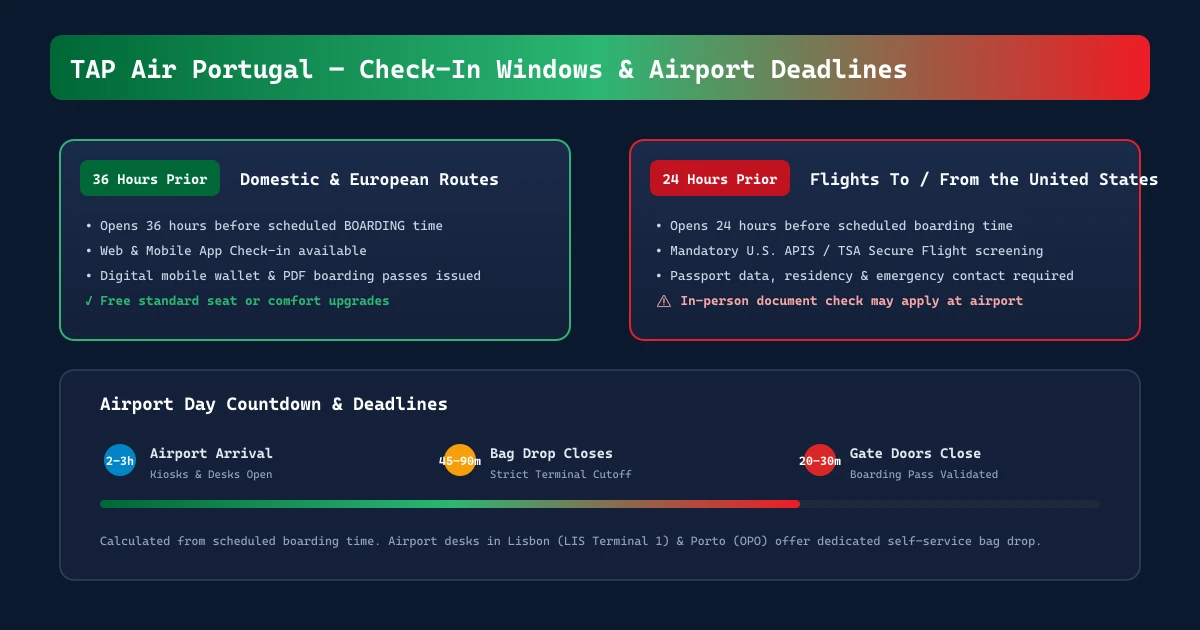
- Flights to or from the United States: Online check-in opens 24 hours before scheduled boarding due to U.S. government passenger screening and Advance Passenger Information System (APIS) protocols.
- All other TAP flights: Online check-in opens 36 hours before scheduled boarding for domestic Portuguese routes, European intra-Schengen flights, and non-U.S. intercontinental journeys.
Calculating Your Check-In Window
TAP measures its online opening windows against the scheduled boarding time rather than the final wheels-up departure time.
- Example 1 (European Flight): If a flight from Lisbon to Paris is scheduled to depart at 11:00 AM on a Friday, with boarding scheduled at 10:15 AM, the 36-hour check-in window opens on Wednesday at 10:15 PM.
- Example 2 (U.S. Transatlantic Flight): If a flight from New York (JFK) to Lisbon departs at 6:00 PM on a Tuesday, with boarding set for 5:10 PM, the 24-hour check-in window opens on Monday at 5:10 PM.
Do not confuse the check-in opening window with other airport operational milestones:
- Check-In Opening: The earliest moment you can access your reservation online to confirm seats and passenger data (36h or 24h prior).
- Airport Check-In & Bag-Drop Deadline: The strict cutoff time—usually 45 to 90 minutes before scheduled departure depending on the airport—after which no passengers or checked bags can be accepted.
- Boarding Gate Arrival: The cutoff time stated on your boarding pass (typically 20 to 30 minutes before departure) at which boarding gates close.
Comparing Fares for Your Route?
Search live multi-airline schedules, spot discount windows, and baggage fee rules on FareWander.
How to Check In Online With TAP Air Portugal
Eligible travelers can complete check-in online through any desktop or mobile browser. Always navigate directly to the verified official airline portal rather than third-party search aggregators or unverified agency portals:
- Access the Official Portal: Go to the official TAP Air Portugal website at flytap.com and navigate to the Check-in tab.
- Retrieve Your Booking: Enter your 6-character alphanumeric booking reference (PNR) or 13-digit electronic ticket number, along with the passenger's last name.
- Select Your Flight: Choose the specific passenger names and flight segments you wish to check in for.
- Submit Travel Documents: Enter any mandatory Advance Passenger Information, including passport number, nationality, date of birth, expiration date, and country of residence where prompted.
- Review Seats and Optional Services: Confirm your complimentary seat or choose an available seat in the Standard or Comfort areas.
- Review Passenger Health and Safety Notices: Acknowledge standard hazardous goods regulations regarding restricted materials in cabin and hold baggage.
- Generate Boarding Passes: Finalize check-in to generate your digital boarding pass. Save the pass to your device, send it to your email, or download the printable PDF.
- Verify Departure Requirements: Check the screen confirmation to see if you received an active boarding pass or a check-in receipt requiring physical passport inspection at the airport.
How to Check In Using the TAP Air Portugal App
The official TAP Air Portugal mobile application is available free of charge on iOS via the App Store and Android via Google Play.
- Locating Your Trip: Open the app and log in to your TAP Miles&Go account, or select My Trips / Check-in on the home screen and input your booking reference and surname.
- Completing Check-In: Follow the on-screen prompts to review flight details, scan passport information using your device camera where supported, and confirm seat selections.
- Accessing Boarding Passes: Once completed, tap Add to Apple Wallet or Save to Google Wallet to store your pass offline.
- Monitoring Flight Day Updates: Because aircraft gates, boarding times, and operational delays update dynamically, reopen the app on departure day to verify that your boarding gate has not shifted.
Not all complex bookings can be finalized in the mobile app; passengers requiring physical visa checks or carrying oversized sports equipment may be instructed to present their documents at an airport counter.
How to Get Your TAP Air Portugal Boarding Pass
Securing a valid boarding pass allows you to clear airport security and proceed to your departure gate. TAP issues credentials in three distinct formats depending on your departure airport and documentation status:
1. Digital and Mobile Boarding Passes
Digital passes feature a scannable 2D QR code displayed directly on your smartphone screen or saved within Apple Wallet / Google Wallet. These are supported across domestic Portugal, most European hubs, and major international gateways. Ensure your phone has sufficient battery life, and consider taking an offline screenshot in case airport Wi-Fi is unreliable.
2. Printed PDF Boarding Passes
If you prefer a physical document or do not carry a smartphone, download and print the PDF boarding pass generated at the end of the online check-in flow. Print the document on standard A4 or letter paper without clipping the barcode or passenger details.
3. Check-In Confirmations vs. Airport-Issued Passes
At certain international airports outside the European Union or Schengen zone, local security regulations mandate physical paper boarding cards issued directly by an airport agent. In these cases, completing online check-in produces a Check-In Confirmation voucher rather than a scannable boarding pass. You must bring this confirmation along with your travel documents to a TAP airport check-in counter, where staff will verify your paperwork and print an official boarding card at no extra charge.
Verifying Pass Details
Before leaving for the airport, review the details on your pass:
- Passenger name spelling (must match your travel identification exactly).
- Flight number, departure date, and terminal.
- Boarding time and boarding group.
- Gate assignment (remember that gate numbers displayed hours in advance are provisional and must be checked on terminal display monitors).
If your mobile device fails or you misplace a printed pass, visit a TAP check-in counter or airport self-service kiosk with your passport, where an agent can reprint your card.
Planning Travel Logistics?
Use FareWander tools to calculate flight times, luggage rules, and visa requirements.
TAP Air Portugal Airport Check-In and Baggage Drop
If you cannot check in online, travel with checked baggage, or require assistance, you can use TAP's airport facilities on the day of departure.
- Self-Service Kiosks: At focus hubs including Lisbon Humberto Delgado Airport (LIS) and Porto Francisco Sá Carneiro Airport (OPO), automated kiosks allow passengers to check in, choose available seats, print boarding passes, and print bag tags.
- Staffed Desks: Traditional check-in desks handle manual document verification, unaccompanied minors, pet transport, and oversized baggage acceptance.
- Premium Desks: Dedicated Premium Check-in areas are available at Lisbon (Terminal 1) and Porto for passengers traveling in Executive Class or holding eligible Star Alliance Gold / TAP Miles&Go status.
Checking in online does not bypass terminal baggage requirements. If you are checking hold luggage, you must drop your bags at a dedicated TAP Baggage Drop desk before the published route cutoff.
 Dedicated baggage drop stations and self-service kiosks at participating airports help streamline departures for checked luggage.
| Situation | What to Do | What to Verify |
|---|---|---|
| Passenger with no checked baggage | Check in online, save the boarding pass, and proceed directly to terminal security screening upon arrival. | Ensure your digital pass displays an active barcode, and verify whether your terminal requires non-Schengen passport control. |
| Passenger with checked baggage | Complete online check-in ahead of time, proceed to the airport TAP Baggage Drop or kiosk, attach bag tags, and hand luggage to staff. | Confirm the specific bag-drop cutoff time for your departure airport (typically 45–60 mins domestic/EU; 60–90 mins intercontinental). |
| Passenger requiring document verification | Complete online registration, receive your check-in confirmation voucher, and present your passport and visa at a staffed desk. | Bring physical copies of destination entry visas, onward tickets, and required health/entry declarations. |
| Passenger using a partner-operated flight | Identify the operating carrier on your ticket; if the first flight is operated by a partner airline, check in through that airline's system. | Verify the operating carrier's baggage rules, check-in window, and terminal location. |
Airport check-in and baggage drop cutoff times are not identical across all cities. While desks typically open 2 to 3 hours prior to departure, terminal closing deadlines vary based on whether you are departing on a domestic Portuguese route, an intra-European flight, or a long-haul intercontinental service. Always verify the current opening and closing times for your departure airport before setting out.
What Documents Do You Need for TAP Air Portugal Check-In?
Document requirements depend entirely on your nationality, itinerary, destination, and transit airports:
- Booking Details: Your 6-character booking reference (PNR) or 13-digit e-ticket receipt.
- Government Identification: A valid national identity card for European Union citizens traveling strictly within the Schengen Zone, or an official passport for all international travel. Passports must meet destination validity minimums (frequently 3 to 6 months beyond the planned departure date).
- Visas and Entry Authorizations: Relevant destination visas, electronic travel authorizations (such as ESTA for the U.S. or ETA for the U.K.), and transit paperwork.
- Special Circumstance Documentation: Veterinary health certificates for pets, unaccompanied minor authorization packets, or medical clearances where applicable.
Airline staff verify these credentials before boarding to ensure compliance with international aviation regulations. However, airline check-in clearance does not replace official border control inspection. Always verify entry requirements with the embassy or official immigration authority of your destination country prior to departure.
TAP Air Portugal Check-In Problems and Solutions
Technical errors, document holds, or operational restrictions can occasionally interrupt the check-in process. Use the following troubleshooting matrix to identify practical next steps:
| Issue Encountered | Plausible Cause | Next Practical Action | Recommended Resource |
|---|---|---|---|
| Online check-in is unavailable | Check-in window is not yet open, or the booking is outside the 36h/24h operational window. | Calculate your flight's boarding time; wait until the exact window opens. | Review opening window criteria on flytap.com. |
| Booking code / surname not accepted | Typo in surname, title included with surname, or ticket not fully issued. | Enter surname only without titles; verify your 6-character PNR on your e-ticket receipt. | Check your itinerary inside TAP Air Portugal Manage Booking. |
| Boarding pass is not issued online | Mandatory destination document check required by local immigration authorities. | Save the check-in voucher; present your passport at the airport desk to print the pass. | Proceed to the airport check-in counter. |
| System prompts document verification | Visa inspection, credit card payment verification, or entry permit screening needed. | Arrive early at the departure terminal with original documents and payment cards. | Staffed TAP airport check-in desks. |
| Flight operated by another airline | Flight is a codeshare where another carrier operates the first flight segment. | Check in via the operating airline's website using the operating carrier's reference. | Operating carrier check-in portal. |
| Checked bags must still be dropped | Online check-in registers the passenger but does not process physical luggage. | Arrive at the airport before the baggage drop cutoff and drop luggage at dedicated desks. | Terminal baggage drop counters. |
| Missed online check-in window | Web check-in window closed close to departure. | Head immediately to the airport terminal check-in desks before airport cutoff. | Airport ground personnel. |
How Early Should You Arrive at the Airport?
Your airport arrival time should not be confused with the check-in cutoff deadline. Arriving at the exact check-in cutoff leaves zero room for baggage drop lines, terminal security screening, or passport control queues.
General planning guidelines:
- Domestic Portugal and Intra-Schengen Flights: Arrive at least 2 hours before departure if you have checked bags or require counter check-in. If traveling with carry-on bags only and holding an active mobile pass, 90 minutes is generally adequate during standard travel periods.
- Intercontinental Flights (Including U.S. and Africa Routes): Arrive at least 3 hours before departure to account for physical baggage drop, APIS document audits, security lines, and non-Schengen border control.
- Departing from Major Hubs (Lisbon LIS / Porto OPO): Terminal 1 at Lisbon Airport can experience heavy morning and midday passenger banks. If flying to a non-Schengen destination, you must pass Portuguese border control (SEF / AIMA), which requires dedicated buffer time.
Always follow the boarding gate arrival time specified on your boarding pass, as boarding doors typically close 15 to 20 minutes prior to scheduled departure.
Frequently Asked Questions
Online check-in opens 36 hours before scheduled boarding for the majority of flights. For flights departing to or arriving from the United States, online check-in opens 24 hours before boarding due to U.S. government passenger screening regulations.
Final Check Before Your TAP Air Portugal Flight
Before heading out for your flight, review this departure checklist:
- Confirm Your Check-In Window: Verify whether your route follows the 36-hour European window or the 24-hour U.S. window.
- Complete Check-In & Save Boarding Pass: Ensure your barcode is readable and stored offline in your digital wallet.
- Review Travel Documents: Confirm your passport validity, visa clearances, and entry authorizations for all transit and destination points.
- Confirm Baggage Inclusions: Review your ticket's cabin bag and checked baggage allowances to avoid excess baggage fees at the gate.
- Check Terminal Cutoffs: Identify the check-in and bag-drop closing deadlines for your specific departure airport.
- Verify Departure Status: Recheck the departure monitor for rolling schedule adjustments or gate updates before heading through security.
For flight-specific terms, seat assignments, and live operational notices, consult your booking details on the official flytap.com portal.