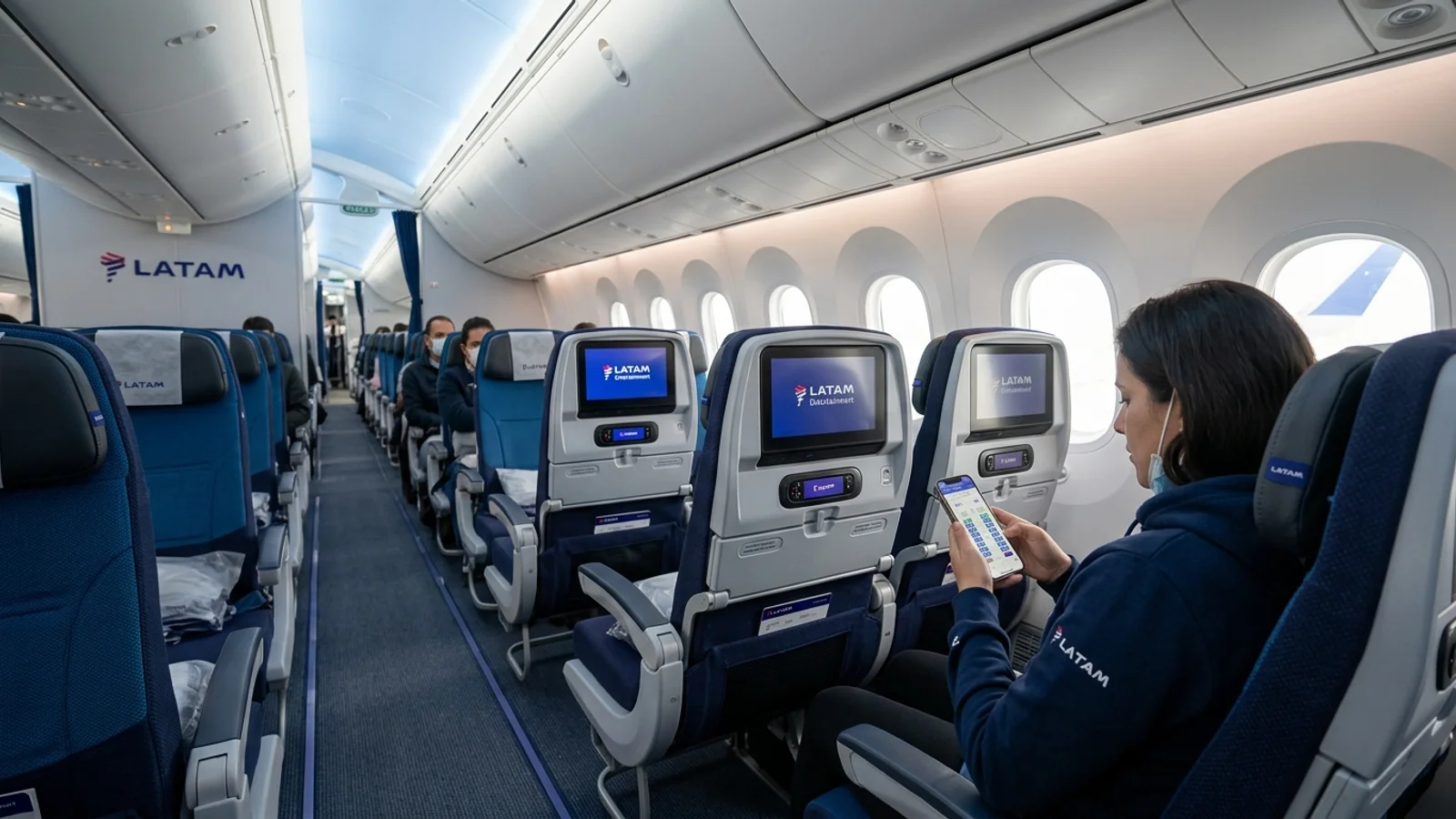
LATAM Airlines passengers can view seat maps and choose their seats across LATAM’s digital booking channels, the official mobile application, and the My Trips reservation portal. However, whether advance seat selection is complimentary or requires an additional fee depends on your purchased fare category, cabin class, route, LATAM Pass membership tier, and the type of seat selected.
Travellers booking unbundled economy fares can choose to purchase a specific seat assignment in advance or accept a complimentary seat assigned automatically by the airline during the check-in window.
LATAM Seat Selection at a Glance
| Seat Category | Advance Availability | Pricing & Eligibility Rules |
|---|---|---|
| Standard Economy Seats | Booking up to check-in closure | Included with higher-tier fares; available for an extra fee on Basic/Light fares. |
| LATAM+ Seats | Subject to aircraft layout and availability | Extra fee for standard tickets; complimentary for select LATAM Pass elite tiers on eligible fares. |
| Premium Economy Seats | Regional narrow-body routes | Included with purchased Premium Economy fare tickets. |
| Premium Business Seats | Long-haul wide-body routes | Included with purchased Premium Business fare tickets. |
| Check-in Seat Assignment | Opens 48 hours before departure | Complimentary automated assignment if no seat was pre-purchased. |
| Partner-Operated Flights | Handled by operating carrier | Must be completed on the partner airline’s platform; terms and fees set by that carrier. |
Is Seat Selection Free on LATAM?
Seat selection is not universally free on LATAM Airlines. Pricing and complimentary eligibility are governed by several key variables:
- Purchased Fare Family: Bundled fares generally include standard seat selection at the time of purchase, whereas entry-level promotional fares unbundle seat reservations to offer a lower base ticket price.
- Cabin Class: Passengers travelling in Premium Economy or Premium Business receive advance seat selection included as part of their cabin benefits.
- Seat Type: Extra-legroom seats (branded as LATAM+) carry an additional fee regardless of whether a standard seat is included with the fare, unless waived by frequent flyer tier status.
- Frequent Flyer Status: Higher categories of the LATAM Pass program (and qualifying airline partner elite members) receive waivers on standard or LATAM+ seats on eligible itineraries.
- Timing of Selection: Passengers on fares that charge for advance seat selection receive an assigned seat at no extra cost once online check-in opens 48 hours before departure.
Comparing Fares for Your Route?
Search live multi-airline schedules, spot discount windows, and baggage fee rules on FareWander.
LATAM Seat Selection by Fare and Cabin
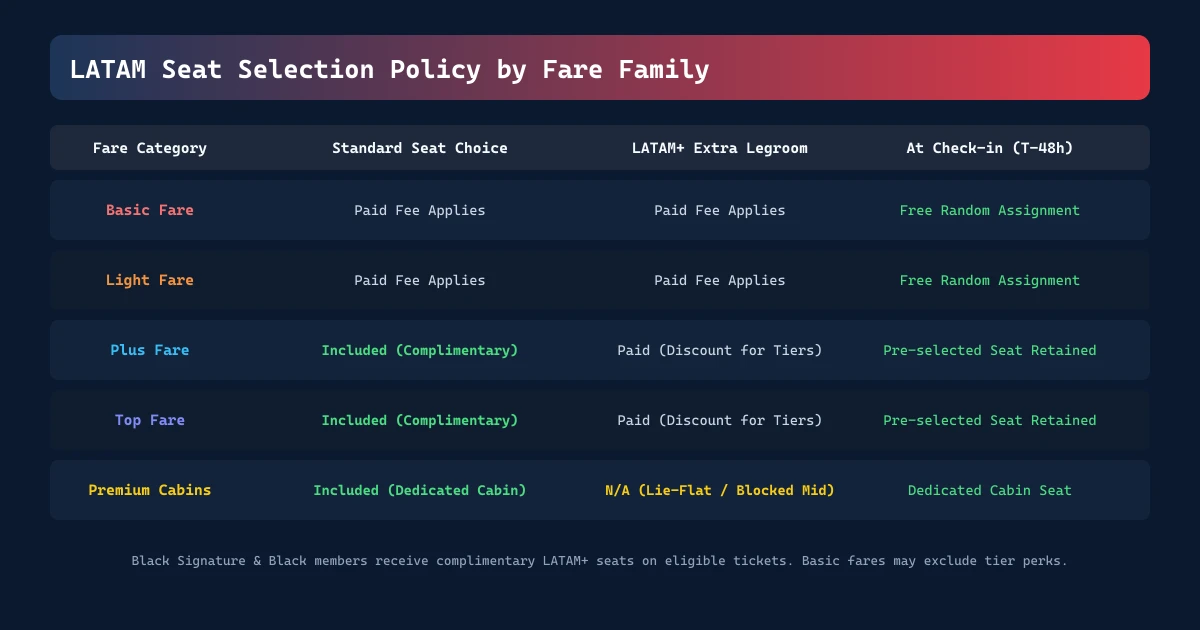
LATAM configures its fare structures to give travellers choice between all-inclusive ticketing and unbundled options. Fare names and conditions vary depending on the country of departure and whether the route is domestic or international.
| Fare Family / Cabin | Standard Seat Assignment | LATAM+ Extra Legroom | Fare Characteristics |
|---|---|---|---|
| Basic Fare | Fee applies before check-in | Fee applies | Entry unbundled ticket; excludes advance seat choice and checked baggage. |
| Light Fare | Fee applies before check-in | Fee applies | Standard economy ticket; allows paid seat and baggage add-ons. |
| Plus Fare | Complimentary standard seat | Fee applies (or discount by tier) | Mid-tier bundled economy fare including standard seat reservation. |
| Top Fare | Complimentary standard seat | Fee applies (or discount by tier) | Fully flexible economy fare with standard seat selection and change flexibility. |
| Premium Economy | Complimentary cabin seat | N/A (Dedicated cabin) | Blocked middle seat or wider leather seating on regional flights. |
| Premium Business | Complimentary lie-flat seat | N/A (Dedicated cabin) | Full lie-flat seating on wide-body long-haul aircraft. |
[!NOTE] Specific fare branding can differ across domestic South American markets and international points of sale. Review the seat inclusion icon on your booking summary before purchase. For baggage allowances corresponding to each tier, consult our LATAM Airlines Baggage Allowance guide.
What Are LATAM+ Seats?
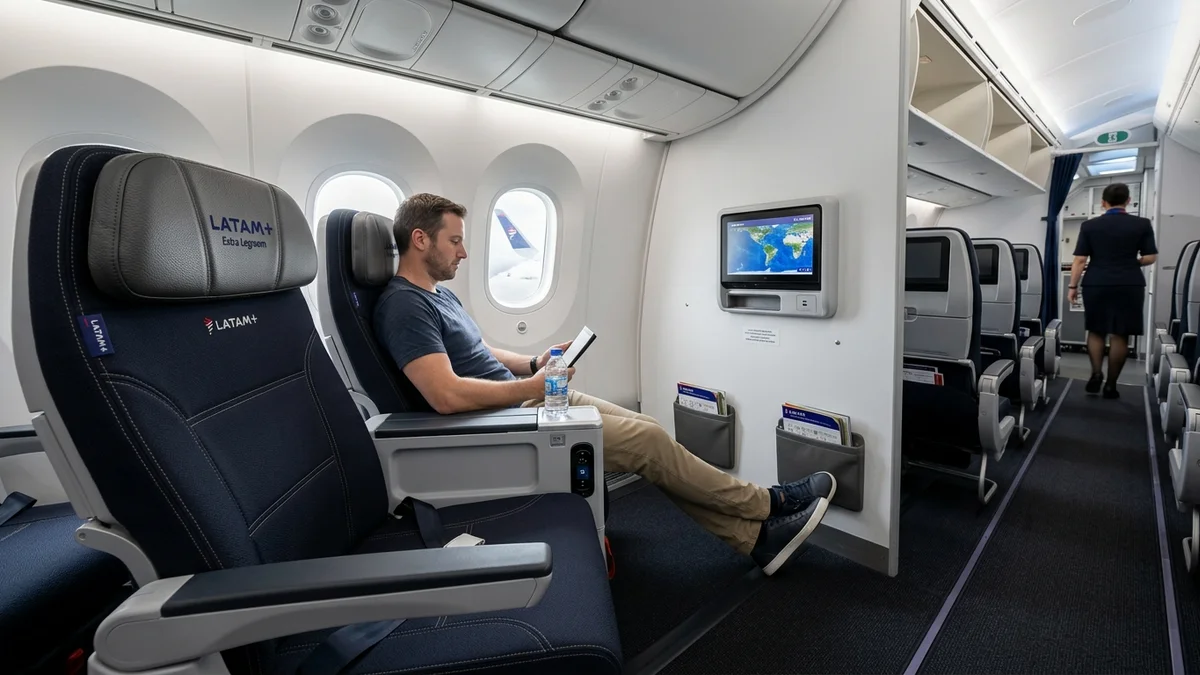
LATAM+ seats are premium seating options within the Economy cabin designed to offer additional comfort and convenience.
Key Features of LATAM+
- Extra Pitch and Legroom: Located in the forward rows of the Economy cabin and in designated emergency exit rows, providing expanded personal space.
- Forward Cabin Placement: Faster deplaning upon arrival when seated in the front rows of the aircraft.
- Reserved Overhead Bin Access: Dedicated space in select aircraft configurations to store carry-on luggage near your seat.
- Priority Boarding: Boarding benefits vary by airport and aircraft configuration, typically granting early access onto the plane.
LATAM+ seats are available for purchase across narrow-body and wide-body aircraft. However, emergency-exit LATAM+ seats carry strict safety eligibility criteria mandated by civil aviation authorities.
LATAM Pass Elite Member Seat Benefits
Elite members of the LATAM Pass loyalty program receive specific seat-selection waivers based on their tier category and ticket type:
- Black Signature & Black: Complimentary seat selection for standard seats and LATAM+ seats across eligible routes. On qualifying bookings, this benefit may extend to travel companions booked under the exact same reservation code.
- Platinum: Complimentary standard seat selection on eligible fares. Access to LATAM+ seats is complimentary on select domestic and regional routes, or offered at a promotional discount, subject to fare rules and seat inventory.
- Gold Plus / Gold: Select standard seats may be complimentary on eligible routes, or discounted access may be offered for preferred rows.
Critical Member Fare Restrictions
LATAM Pass tier seat benefits do not automatically apply to every ticket. When travelling on promotional Basic fares, certain seat perks (including complimentary advance selection or free LATAM+ assignment) are restricted or excluded regardless of elite tier status. Always verify your tier inclusions by logging into your LATAM Pass account before finalizing seat selection.
Planning Travel Logistics?
Use FareWander tools to calculate flight times, luggage rules, and visa requirements.
How to Select a LATAM Seat
Passengers can choose or modify a seat assignment through LATAM's digital platforms:
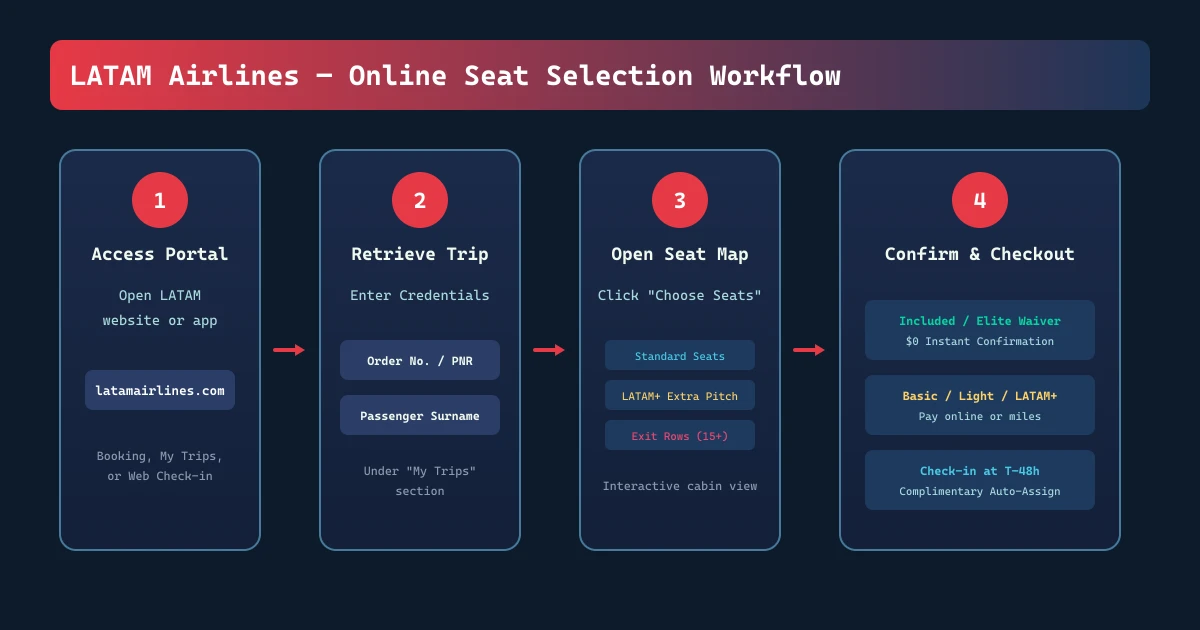
LATAM Website or App ➔ "My Trips" ➔ Order Number / Reservation Code + Surname ➔ "Buy / Choose Seats" ➔ Confirm Map Selection
During Booking
- Search and select your flight itinerary on latamairlines.com or via the mobile app.
- Choose your preferred fare family.
- Advance to the Seat Selection step in the booking flow.
- View the interactive seat map to see standard and LATAM+ pricing.
- Select your seat; any applicable fees will be added directly to the total booking price.
After Booking Through My Trips
- Navigate to the official LATAM My Trips portal on the website or mobile app.
- Retrieve your itinerary by entering your order number or reservation code alongside the passenger's last name.
- Locate the seat management or ancillary purchase section.
- Open the active seat map for each flight segment.
- Click an available seat to review the price or complimentary status.
- Confirm your selection and process the payment if a fee applies.
For additional reservation features like adding luggage or modifying flight dates, consult our complete guide to LATAM Airlines Manage Booking.
During Online Check-in
- Access digital check-in starting 48 hours prior to scheduled flight departure.
- Retrieve your booking using your reservation details.
- Review your assigned seat:
- If you did not pre-purchase a seat, LATAM will assign one free of charge.
- If you wish to switch, open the seat map to view available alternative seats. Changing to a standard seat may be free or carry a nominal fee depending on your fare, while upgrading to LATAM+ remains a paid option.
- Finalize check-in to download your boarding pass.
For comprehensive check-in timelines and baggage drop cut-offs, review the LATAM Airlines Check-in Guide.
Reading the LATAM Digital Seat Map
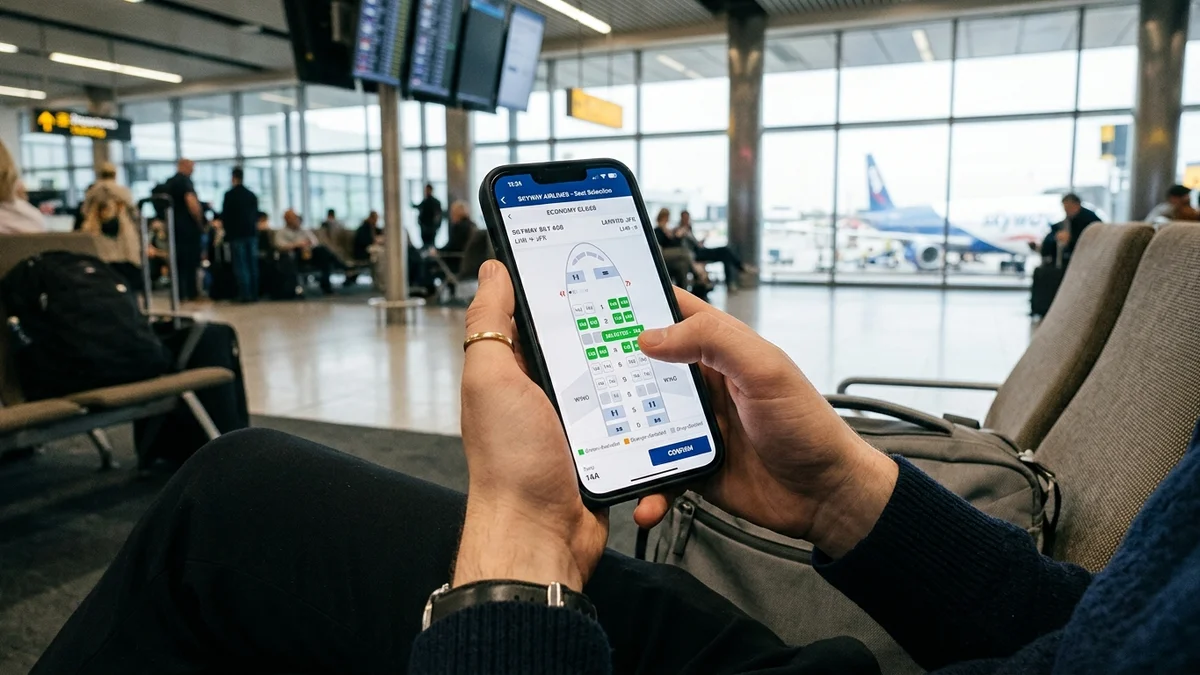
When opening the interactive seat map on LATAM's website or app, seat icons indicate distinct categories:
- Available Standard Seat: Standard pitch and width. Shows as complimentary or displays a fixed cash/miles rate based on your fare.
- Available LATAM+ Seat: Identified with a distinct icon or colored banner indicating extra legroom or front-of-cabin positioning.
- Occupied / Blocked Seat: Shown in grey or with an "X", indicating the seat has already been selected by another passenger or reserved by the airline for operational balance.
- Emergency Exit Row: Marked with an exit indicator. Selecting these seats requires checking an acknowledgement box confirming you meet all legal physical and language requirements.
Emergency-Exit and Restricted Seats
Civil aviation authorities mandate strict safety conditions for passengers occupying emergency exit rows. To sit in an emergency exit row on LATAM, you must:
- Be at least 15 years of age (or the minimum legal age stipulated by local civil aviation authorities).
- Have the physical strength, mobility, and dexterity to operate and lift the emergency exit door if required.
- Understand and follow crew safety instructions given in Spanish, Portuguese, or English.
- Not be travelling with an infant, child, or service animal.
- Not require a seatbelt extender, as extenders can present an obstruction hazard during an evacuation.
- Not have a pre-existing medical condition or responsibility that could impede immediate emergency response.
[!WARNING] If a passenger selects an exit row seat online but does not meet safety criteria upon boarding, gate and cabin crew are legally required to reassign the passenger to a standard seat without fee reimbursement.
Family and Child Seating Considerations
LATAM aims to seat minors alongside their travelling parents or guardians:
- Children Under 12: Aviation regulatory frameworks in multiple South American jurisdictions and international markets require airlines to ensure children are seated adjacent to an accompanying adult at no extra cost.
- Avoiding Split Seating: To guarantee adjacent seating on unbundled Basic or Light fares without paying fees, complete online check-in as early as possible when the 48-hour window opens. If the automatic system separates a parent and young child, speak directly to airport counter agents before boarding.
- Infants (Under 2 Years): Infants travelling on an adult's lap do not require a separate seat assignment. If an infant occupies their own seat in an approved car safety seat, a dedicated seat ticket must be booked, and exit row placement is strictly prohibited.
Partner and Codeshare Flights
Seat selection policies differ significantly when your itinerary involves a partner airline (such as Delta Air Lines or other interline/codeshare partners):
- No Direct Partner Selection on LATAM.com: LATAM states that you cannot complete seat selection directly on LATAM’s website for flights operated by a partner airline.
- Operating Airline Rules Apply: The airline actually operating the aircraft determines seat availability, seat conditions, and applicable seat fees.
- Managing via the Operating Carrier: Retrieve your operating carrier reservation code inside LATAM My Trips. Navigate to the operating airline's official website or app to access their seat map.
- Airport-Only Exceptions: Specific international partners (such as select Japan Airlines connections) may restrict advance online seat assignments entirely, requiring passengers to receive their seat assignment directly at the airport check-in desk on the day of travel.
Travel Agency and Third-Party Bookings
If your ticket was issued through an online travel agency (OTA) or corporate booking tool:
- You can generally retrieve the itinerary inside LATAM My Trips using the airline reservation code (PNR) and your surname to purchase seat assignments.
- Third-party booking confirmations often list an internal agency booking reference alongside the airline PNR. Ensure you enter LATAM's 6-character code.
- If your reservation code fails to display seat maps online due to specialized group or wholesale ticketing rules, seat selection can be completed when digital check-in opens or by contacting the issuing travel provider.
Changing or Upgrading Your Selected Seat
If you decide to change your seat after booking:
- Open your reservation in My Trips.
- Click on your active seat assignment.
- Choose a newly available seat on the interactive map.
Outcome of seat changes:
- Equal Value: Switching between equivalent standard seats is usually processed without additional charges.
- Higher Value (Upgrading to LATAM+): You must pay the price difference between your current selection and the upgraded seat.
- Lower Value: If you voluntarily switch from a purchased LATAM+ seat to a standard seat, the price difference is generally non-refundable.
What Happens if LATAM Changes Your Seat?
A pre-selected seat is not permanently guaranteed. Operational requirements can occasionally force seat reassignments:
- Aircraft Swaps: A scheduled aircraft may be substituted with a different tail number or cabin configuration due to maintenance or scheduling requirements.
- Operational Rebalancing: Cabin crew or gate staff may adjust seating for weight and balance requirements or to accommodate passengers with specialized medical or mobility needs.
- Safety Mandates: Ineligibility for emergency exit row seating will trigger an involuntary seat change.
If LATAM involuntarily reassigns your seat, the system attempts to allocate an equivalent seat (such as aisle for aisle, or window for window). If you paid for a LATAM+ seat and the airline cannot accommodate you in an equivalent premium seat, you are eligible to request a refund of the paid seat fee. Track operational fleet adjustments via our LATAM Airlines Flight Status tool.
LATAM Seat Selection Fees
LATAM does not apply a single worldwide price for seat selection. Seat prices are dynamic and determined by:
- Route Distance: Short domestic hops have lower seat reservation fees than long-haul intercontinental sectors.
- Seat Category: Standard preferred rows cost less than front-row or exit-row LATAM+ seats.
- Purchase Window: Reserving seats in advance online generally provides lower rates compared to purchasing seat upgrades at the airport desk.
- Point of Sale and Currency: Fees are priced in the local currency of the departure market.
To check the exact fee for your flight, retrieve your booking on latamairlines.com/us/en/my-trips and view the live seat pricing displayed for each passenger.
Seat Selection Refunds
Seat fees are subject to specific refund conditions:
- Involuntary Airline Changes: If LATAM cancels your flight, swaps the aircraft, or fails to provide the purchased seat category (such as LATAM+), the seat fee is refundable upon request.
- Voluntary Ticket Changes: If your ticket conditions permit date or flight changes and you reschedule your flight, your seat fee may be transferred to your new flight subject to availability, or refunded if equivalent seating is unavailable.
- Voluntary Seat Downgrade: Voluntarily moving yourself from an extra-legroom seat to a standard seat does not entitle you to a refund of the original fee.
- Flight Cancellations by Passenger: If you cancel a non-refundable ticket, purchased ancillary seat selection fees are typically non-refundable unless local statutory consumer protections dictate otherwise.
To learn more about ticket return eligibility and statutory cancellation rules, see our LATAM Airlines Cancellation Policy guide.
Premium Economy and Premium Business Seating
Passengers holding premium cabin tickets do not pay for seat selection:
- Premium Economy: Offered primarily on domestic and regional South American routes operated by narrow-body Airbus aircraft. Seating features wider pitch, an ergonomically blocked middle seat for enhanced personal space, and dedicated overhead storage.
- Premium Business: Featured on wide-body long-haul aircraft (Boeing 787 and 777). Cabins provide direct aisle access, fully flat lie-flat beds, personal power outlets, and expanded entertainment screens.
Common Seat Selection Problems and Solutions
| Problem | Root Cause | Recommended Action |
|---|---|---|
| Cannot select seat on partner flight | Flight is operated by a partner airline (e.g., Delta). | Use the partner reservation code and select seats on the partner airline’s website. |
| All seats require payment | Ticket is booked under an unbundled Basic or Light fare. | Pay for advance selection or wait until check-in opens 48 hours prior for free assignment. |
| Exit row seat rejected | Safety criteria not confirmed or minor in party. | Select a standard seat; exit rows require physical and language capability. |
| Purchased seat missing after schedule change | Schedule update or aircraft swap occurred. | Log into My Trips to re-select an available seat or apply for a fee refund if downgraded. |
| Separated from companion | Late check-in on a full flight or booking on Basic fare. | Check in immediately at the 48-hour mark or purchase adjacent seats prior to travel. |
If you experience unresolved technical issues or seat payment errors, reach out directly through the LATAM Airlines Customer Care directory.
Frequently Asked Questions
It depends on your fare and cabin class. Seat selection is included on Plus, Top, Premium Economy, and Premium Business fares. On Basic and Light economy fares, advance seat selection carries an additional fee, but a seat is assigned for free during check-in.