

LATAM Airlines Customer Service: How to Contact Support & Resolve Issues
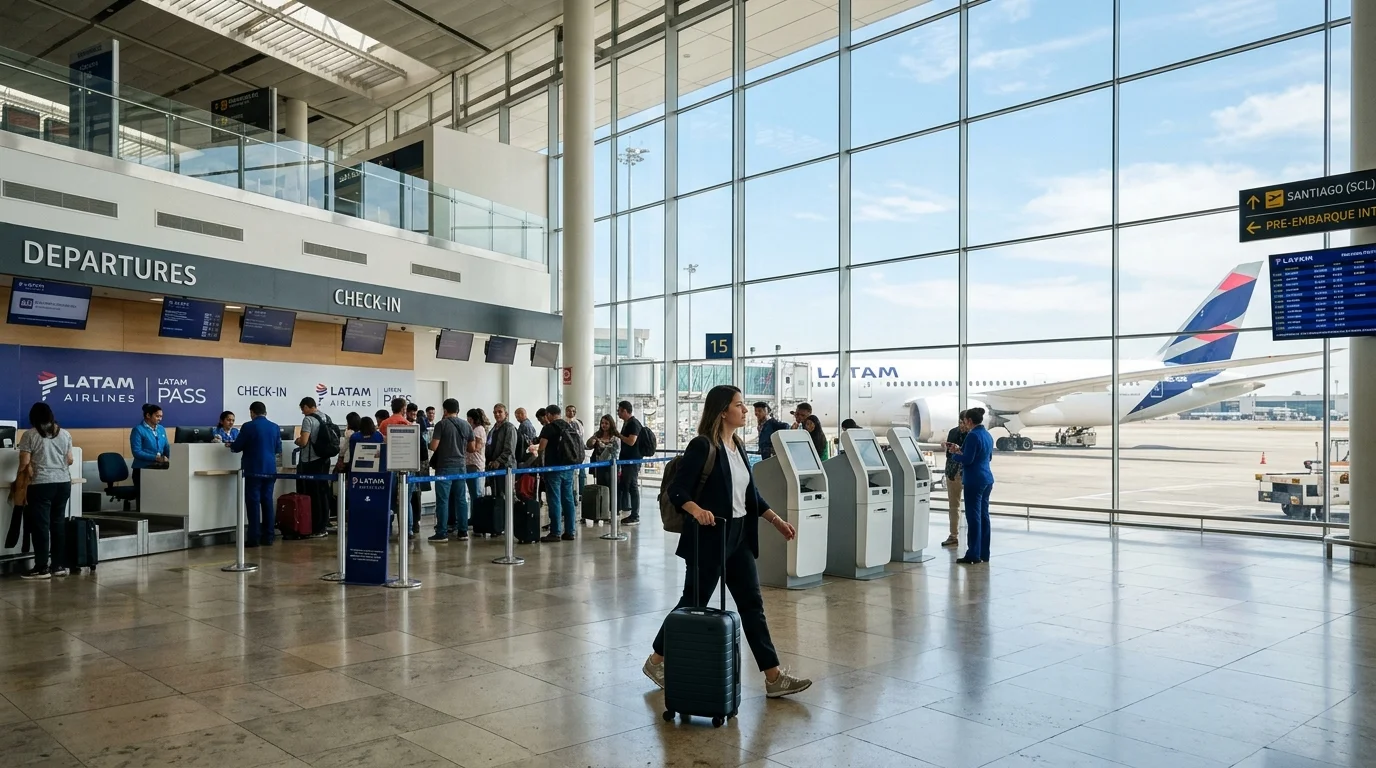
LATAM Airlines directs passenger assistance through several dedicated channels, including its digital Help Center, regional Contact Centers, physical sales and airport offices, and an official case-management ticketing system. Because support lines, hours of operation, and service capabilities vary by country and issue type, resolving a problem quickly depends on picking the right contact channel. Rather than relying on static, outdated phone numbers, passengers should identify whether their request requires a live telephone representative, a formal digital support case, or self-service reservation management.
LATAM Customer Care at a Glance
The quickest path to support depends on the specific nature of your travel request:
| Need Help With | Best Official LATAM Channel | Channel Type | Availability & Scope |
|---|---|---|---|
| General Information | Official Help Center FAQ search | Digital self-service | 24/7 web access; searchable policy library |
| Trip Changes & Ancillaries | My Trips portal | Digital self-service | Available online for eligible tickets |
| Flight Operational Status | Official Flight Status tool | Digital self-service | Active 48 hours prior to scheduled departure |
| Online Check-in | Check-in portal & mobile app | Digital self-service | Opens 48 hours before scheduled flight |
| Delayed or Damaged Baggage | Airport Baggage Service & Case system | In-person / Digital case | Airport PIR report required first; track online |
| Voluntary Refunds | My Trips / Cancellation portal | Digital self-service | Governed by fare rules and ticket conditions |
| Formal Complaints & Claims | Create a Case (Help Center) | Web support form | Generates a trackable reference case |
| Existing Support Inquiries | Check Case Status tool | Web email verification | Review ongoing case updates and history |
| Complex Booking Assistance | Country Contact Center | Live telephone | Phone numbers and operating hours vary by market |
| In-Person Assistance | LATAM Airport / City Offices | In-person agent | Select airports and commercial city branches |
How to Contact LATAM Airlines
LATAM structures its customer support across five primary official channels:
1. Contact Center
LATAM maintains localized telephone call centers across its international network. These centers handle urgent reservation issues, special assistance coordination, ticketing complications, and itinerary changes that cannot be resolved through digital tools. Because numbers and operational schedules differ by region, travellers should always verify their local line via LATAM's official telephone directory before calling.
2. Help Center
The official Help Center acts as the airline’s central customer resource. Located on the LATAM website, it allows passengers to search categorized travel rules, read baggage guidelines, access rebooking policies, check office locations, and transition directly into formal support ticketing when an issue requires written airline intervention.
3. Create a Case
When an issue cannot be resolved through self-service or standard FAQs—such as service complaints, compensation requests, property irregularities, or billing inquiries—LATAM requires passengers to open a formal case. Submitting a case logs the issue into the airline’s customer care queue, establishing an official record and a unique tracking reference.
4. Check Case Status
Passengers who have already submitted an inquiry or complaint do not need to call the Contact Center to check on progress. LATAM provides a dedicated status-tracking module within its Help Center where travellers verify case developments directly via their registered email address.
5. LATAM Offices
LATAM operates staffed customer service counters at primary departure airports across its South American and international network, alongside dedicated commercial ticketing offices in select urban centers. These locations provide face-to-face ticketing, documentation checks, and immediate day-of-travel support.
LATAM Airlines Phone Numbers by Country
LATAM publishes Contact Center phone numbers organized by geographic market. Operating hours, toll-free availability, and service languages (typically Spanish, Portuguese, and English) vary by country.
[!IMPORTANT] Customer service numbers are updated periodically by airlines and telecommunication providers. Check LATAM’s official country directory at latamairlines.com to verify operating schedules and local numbers before placing a call.
| Country / Region | Official Contact Center | Operating Notes | Official Source Verification |
|---|---|---|---|
| United States | +1 (866) 435-9526 | Toll-free within the US; English & Spanish | Official LATAM US Directory |
| Chile | 600 526 2000 | Local landline rate within Chile | Official LATAM Chile Directory |
| Brazil | 0300 570 5700 | Primary Brazilian domestic support | Official LATAM Brazil Directory |
| Peru | (01) 213 8200 | Lima local number; national routing | Official LATAM Peru Directory |
| Colombia | (601) 518 5800 | Bogotá regional network line | Official LATAM Colombia Directory |
| Argentina | 0800 345 0950 | Toll-free domestic line | Official LATAM Argentina Directory |
| Canada | Use US Contact Center | Canadian callers connect via US toll-free line | Official LATAM North America Support |
| United Kingdom & Europe | Check Country Directory | Specific local numbers for UK, Spain, Germany, France | Official LATAM Europe Directory |
| Australia & New Zealand | Check Regional Directory | Local telephone support for Oceania routes | Official LATAM Oceania Directory |
| India & Other Markets | Help Center / Global Lines | No dedicated local toll-free center; use Help Center | Official LATAM Help Center Directory |
Contacting LATAM Airlines from India
LATAM Airlines does not currently maintain an open, dedicated domestic call center or toll-free consumer telephone line inside India. Indian travellers booking itineraries on LATAM or codeshare partner flights (such as connections via Europe, the Middle East, or the Americas) should use the following official options:
- Digital Help Center & Case Creation: Submit written requests, booking adjustments, and general inquiries via the official LATAM Help Center.
- International Contact Centers: Travellers who must speak with a live agent can call LATAM’s international support centers (such as the US Contact Center line at +1 866-435-9526 or the UK regional center), subject to standard international calling rates from your service provider.
- Issuing Travel Agency: If your ticket was issued through an Indian travel management company, corporate portal, or online agency (e.g., MakeMyTrip, Cleartrip), contact your issuing agent directly for itinerary changes, cancellations, and ticket reissues.
Which LATAM Support Channel Should You Use?
Choosing the proper channel ensures faster resolution while avoiding long telephone hold times:
| Travel Scenario | Recommended Support Route | Why This Route Is Best |
|---|---|---|
| Flight schedule disrupted today | Flight Status + Airport Desk / My Trips | Live operational tools show real-time changes faster than general call centers. |
| Need to change flight date | My Trips portal | View fare differences and available alternative flights directly. |
| Baggage delayed on arrival | Airport Baggage Service Office | Must obtain a physical Property Irregularity Report (PIR) before leaving. |
| Filing for compensation | Create a Case (Help Center) | Phone agents cannot process formal written liability claims immediately. |
| Requesting wheelchair service | Contact Center / Special Needs Form | Medical and mobility requests require early profile notation. |
| Checking on an existing claim | Check Case Status online | Instant access to support notes without repeating information to phone agents. |
| Ticketing error on third-party site | Issuing Travel Agency | LATAM cannot alter external travel agency coupons prior to airport control. |
How to Create a Support Case
When self-service tools do not resolve your problem, LATAM’s case system routes your issue directly to specialized back-office support teams:
- Navigate to the official LATAM Help Center at latamairlines.com.
- Go to the Contact Us area and select the option to Create a Case.
- Choose the category that best describes your situation (such as baggage claims, ticketing issues, refunds, or service feedback).
- Fill out the required form fields, including passenger names, contact information, booking code (PNR), and flight numbers.
- Provide a clear, factual description of the issue and attach supporting documentation (such as boarding pass copies, receipts, or bag tags) where prompted.
- Submit the form and write down your unique case reference number provided on the confirmation screen and sent to your email.
How to Check the Status of an Existing Case
LATAM processes case reviews digitally. You do not need to call the Contact Center to obtain an update:
- Open the LATAM Help Center and locate Check the status of your cases.
- Enter the email address associated with your original case submission.
- Check your email inbox for an access link or verification code sent by LATAM’s secure notification system.
- Follow the authenticated link to view the real-time review status, read agent notes, or upload additional documentation requested by the customer support team.
Managing Bookings Without Calling Customer Service
Many routine travel adjustments do not require waiting on hold for a telephone representative. LATAM provides self-service management directly via the LATAM Airlines Manage Booking portal:
- View Confirmed Itineraries: Access flight segments, terminal details, and cabin classes using your 6-character reservation code and last name.
- Ticket Modifications: Check flight date and time change eligibility, review fare differences, and pay change charges online.
- Seat Assignments: Select complimentary seats or purchase extra-legroom seats.
- Ancillary Baggage: Add checked luggage allowance at lower pre-airport rates.
- Travel Documentation: Access and download digital boarding passes once check-in opens via LATAM Airlines Check-in.
Contacting LATAM About Delays and Cancellations
When a flight schedule changes unexpectedly, understand the operational division of responsibility:
- Checking Operational Times: Use the dedicated LATAM Airlines Flight Status portal starting 48 hours prior to departure to monitor gate updates and schedule changes.
- Rebooking Cancelled Flights: If LATAM cancels or significantly delays your flight, open My Trips first. The digital system automatically populates available alternative flight options without requiring telephone intervention.
- Airport Support: If disruptions occur while you are already at the airport terminal, speak directly with LATAM gate agents or airport customer service counters for local rerouting and meal or hotel arrangements.
Support for Baggage Problems
Baggage issues must be handled according to specific aviation industry procedures:
- Baggage Allowances & Restrictions: Review dimensions, weight limits, and cabin rules in our guide to LATAM Airlines Baggage Allowance before heading to the airport.
- Delayed Luggage: If your suitcase does not arrive at the baggage carousel, do not leave the terminal. Proceed immediately to the airport LATAM Baggage Service Office to file a Property Irregularity Report (PIR). Retain the PIR code to track your bag's recovery online.
- Damaged Luggage: Inspect bags upon arrival. File a formal damage report at the airport counter before exiting the customs hall to validate your claim.
- Baggage Inquiries After Travel: Use the PIR number to check recovery status through the Help Center or submit replacement cost receipts through the Create a Case portal.
Refunds and Voluntary Cancellations
Before contacting customer support regarding a refund, review your ticket conditions:
- Fare Conditions Apply: Refund eligibility depends on your fare family (such as Basic, Light, Plus, or Top) and country-specific consumer protection laws. Basic and Light promotional fares are generally non-refundable for voluntary cancellations.
- Online Returns: Eligible tickets purchased directly through LATAM can often be returned or cancelled for travel credit or monetary refund inside My Trips.
- Agency Bookings: If your ticket was purchased through an online travel agency or physical travel agent, refund requests must be submitted directly to the issuing provider.
- For complete policy criteria, refer to our detailed LATAM Airlines Cancellation Policy guide.
Special Assistance Coordination
Passengers requiring special travel accommodations should coordinate services early:
- Wheelchair & Mobility Services: Wheelchair assistance at the airport can be requested during booking, through My Trips, or by calling the local Contact Center at least 48 hours prior to departure.
- Medical Clearances: Travellers requiring in-flight oxygen, stretcher services, or travelling with complex medical conditions must submit LATAM’s Medical Information Form (MEDIF) well in advance for medical team approval.
- Service Animals & Pets: Guide dogs and service animals travel under strict regulatory requirements. Coordinate documentation and space authorization directly through LATAM Help Center special assistance channels.
WhatsApp, Email, and Social Media Channels
Travellers frequently encounter inaccurate claims regarding LATAM's alternative communication channels:
- WhatsApp Support: LATAM uses official WhatsApp channels in select South American markets primarily for sending automated flight alerts, check-in links, and operational itinerary notifications. Do not assume universal, live human customer service is available via WhatsApp in all regions or languages.
- General Email Inquiries: LATAM does not maintain an open, public customer support email inbox for general travel queries. Instead of emailing unmonitored addresses, submit inquiries through the official Create a Case web form.
- Social Media Channels: While LATAM operates verified official accounts on major platforms (such as X/Twitter and Facebook), these platforms should be treated as supplementary communication channels. Never share booking reference codes, passport numbers, or payment information publicly.
Beware of Fake LATAM Customer-Service Numbers
Airline phone scams remain widespread across major search engines and social platforms:
- Avoid Unverified Search Ads: Fraudulent third parties post fake "LATAM Customer Service" phone numbers disguised as sponsored search results to harvest booking data or charge unauthorized change fees.
- Verify Official URLs: Always initiate support requests directly from latamairlines.com.
- Protect Payment Data: LATAM will never ask you to purchase third-party gift cards, wire funds via informal money transfers, or download remote-desktop applications to resolve a booking problem.
LATAM Airlines Contact Numbers & Hotlines
| Country / Region | Contact Number / Support Link |
|---|---|
| United States | +1-866-435-9526 |
| Chile | 600 526 2000 |
| Brazil | 0300 570 5700 |
| Peru | (01) 213 8200 |
| Global Support | LATAM Help Center |
Frequently Asked Questions
You can contact LATAM Airlines by calling your local country Contact Center, using self-service tools inside the digital Help Center, visiting an airport service desk, or submitting an inquiry through the "Create a Case" form on latamairlines.com.