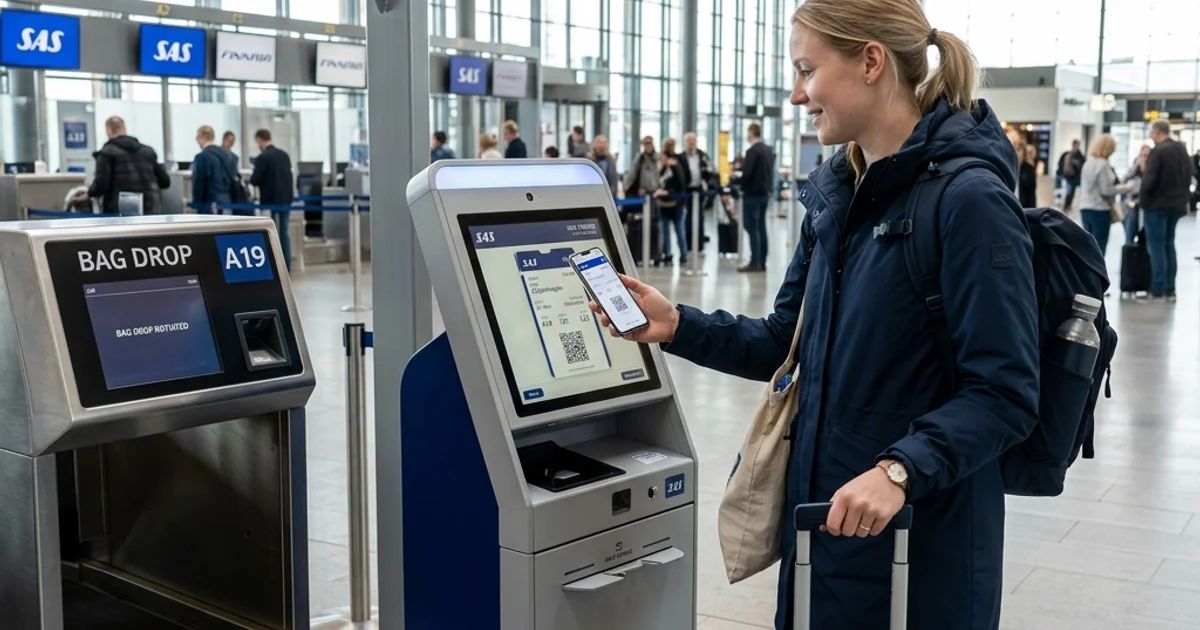
A flight booking confirmation and an e-ticket are closely related, but they are not necessarily the same thing. When you book a flight online, the terminology can feel overwhelming. You might receive an email with a booking reference, an itinerary, and a payment receipt, leaving you wondering if you are actually ready to fly.
To explain it in simple language: your booking confirmation primarily confirms your reservation and outlines your intended itinerary. However, an e-ticket represents the official electronic ticket record that is generated only once the airline has fully ticketed and issued your journey. Meanwhile, your PNR (booking reference) is simply the code used to identify your reservation, and your boarding pass is the document you receive normally after check-in to access the aircraft.
Understanding these differences ensures you arrive at the airport with the correct documents, a fully confirmed seat, and the peace of mind that your flight is ready for departure.

Quick Answer: Booking Confirmation vs E-Ticket
- Booking Confirmation: The evidence and details of your reservation, including your planned itinerary and payment receipt.
- E-Ticket: The electronic ticket record issued by the airline for the passenger's ticketed journey.
- PNR / Booking Reference: The alphanumeric code used to retrieve and manage your reservation.
- Boarding Pass: The credential issued after check-in that is used for the airport security and boarding process.
Your booking confirmation may contain your e-ticket number, but the two terms describe fundamentally different things. Because airline and online travel agency layouts vary, you should always verify that a ticket number is present.
What Is a Flight Booking Confirmation?
A flight booking confirmation is a digital document or email generated immediately after you complete a reservation. It serves as your receipt and provides a summary of the travel plans you have just purchased.
Travelers usually receive this confirmation within minutes of booking via an airline's website or an online travel agency (OTA). It is highly useful because it consolidates all the essential details of your trip into one easy-to-read format. However, it is vital to understand what it does not necessarily prove: a booking confirmation alone does not always mean your final ticket has been issued by the airline.
While layouts differ across booking platforms, your confirmation usually contains:
- Passenger name
- Flight number
- Origin and destination
- Travel date
- Departure and arrival time
- Booking reference / PNR
- Fare information and receipt
- Baggage information
- Seat information where available
- Airline or travel agency details
- Ticket number (where already issued)
Keep in mind that airline and booking-platform terminology can vary, and not every confirmation email will contain all of these fields immediately.
Comparing Fares for Your Route?
Search live multi-airline schedules, spot discount windows, and baggage fee rules on FareWander.
What Is an E-Ticket?
An e-ticket (electronic ticket) is the digital record of an airline ticket, entirely replacing the need for a physical paper ticket. When you hold an e-ticket, it means the airline has officially processed your payment and firmly locked in your right to travel on that specific fare.
The e-ticket securely stores crucial information in the airline's computer reservation system, including:
- The unique ticket number
- The passenger's exact name
- The ticketed flight segments
- Fare, tax, and payment information where applicable
- Ticket status and fare conditions
Reservation created vs Ticket issued: This is one of the most critical distinctions in travel planning. Creating a reservation merely holds a seat on the aircraft. Issuing a ticket means the transaction is complete, the fare is finalized, and the transportation document is officially attached to your name. You cannot fly with just a reservation; you must have an issued e-ticket.
What Is a PNR or Booking Reference?
PNR stands for Passenger Name Record. It is a unique alphanumeric identifier used to retrieve your reservation from the airline's database.
Depending on the airline or booking platform's terminology, travelers may see this code labeled as a:
- PNR
- Booking reference
- Confirmation number
- Record locator
The PNR is strictly associated with your reservation file. It is the code you type into the airline's "Manage Booking" page to select seats or check your itinerary. It is NOT the same thing as your e-ticket number.
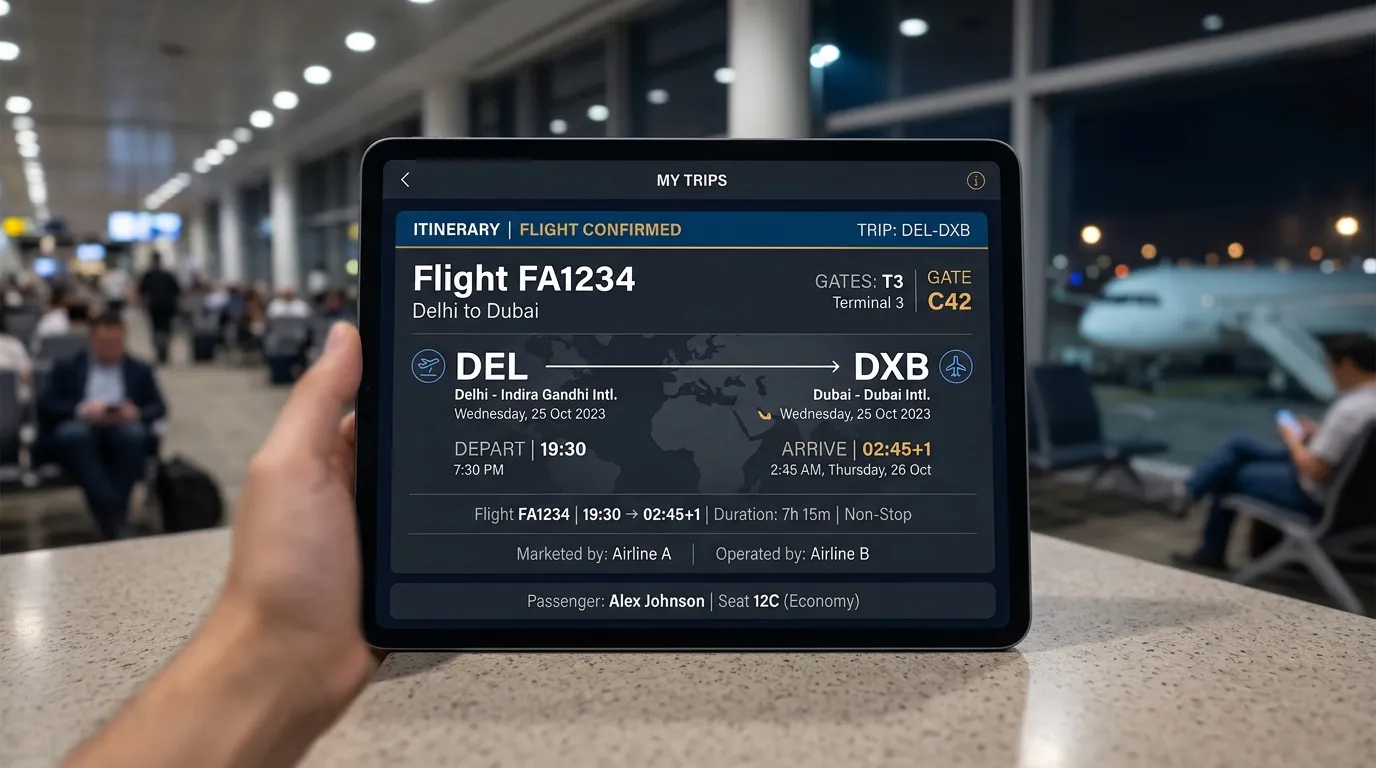
Illustrative example:
- Booking reference: ABC123
- E-ticket number: 123-4567890123
What Is an E-Ticket Number?
An e-ticket number is a long, numeric identifier assigned to your officially issued ticket. This number is the ultimate proof that your seat is paid for and ticketed.
Typically, the first three digits of an e-ticket number identify the ticketing airline (the airline that issued the 13-digit ticket number). However, the exact length and format can vary depending on the specific airline and global ticketing system being used. Do not assume all e-ticket numbers look identical, but they are almost always exclusively numeric, unlike a PNR which contains letters.
Remember: PNR ≠ E-ticket number.
Planning Travel Logistics?
Use FareWander tools to calculate flight times, luggage rules, and visa requirements.
Booking Confirmation vs E-Ticket vs Boarding Pass
To make sense of the travel documents you receive before your flight, use this comparison table:
| Item | Main purpose | Usually received | Used for |
|---|---|---|---|
| Booking confirmation | Confirms/references booking details | After reservation | Reviewing itinerary |
| E-ticket | Electronic ticket record | After ticket issuance | Ticketed transportation record |
| PNR/booking reference | Retrieves reservation | With booking | Managing reservation |
| Boarding pass | Check-in/boarding credential | After check-in | Airport/security/boarding |
Note: These documents are typically generated in this order, though your e-ticket number is generally attached to your booking confirmation once ticketing is complete.
Is a Booking Confirmation the Same as an E-Ticket?
No. They can appear together in the same email or document, but they serve different purposes.
Because a comprehensive booking confirmation may contain your itinerary, your booking reference, your payment information, and your 13-digit ticket number, users may reasonably think the documents are identical.
Conceptually, the booking confirmation is your receipt and summary. The e-ticket is the invisible digital contract sitting in the airline's server. Your booking confirmation simply points to the fact that the e-ticket exists.
Does a Booking Confirmation Mean My Flight Is Fully Ticketed?
A reservation (booking) and an issued ticket are not necessarily the exact same event. While modern websites often process both instantly, there can be delays.
When you finish checking out online, you might see several different statuses depending on the airline:
- Reservation held
- Payment pending
- Booking confirmed
- Ticketing pending
- Ticket issued
- Waitlisted
- Cancelled
If your status says "Processing" or "Ticketing Pending," your e-ticket has not been issued yet. To ensure your flight is secure, you should always check for a ticket number, verify your ticket status via the airline's official Manage Booking page, and ensure your payment receipt cleared.
How Do You Know If Your E-Ticket Has Been Issued?
If you are unsure whether you actually have a valid ticket to fly, run through this practical checklist:
- Look for an e-ticket/ticket number: Scan your confirmation email for a 13-to-14 digit numeric code.
- Check the airline's Manage Booking page: Enter your booking reference and last name on the airline's official site.
- Verify the booking reference: Ensure your PNR generates an active itinerary.
- Check the booking status: Look for the word "Confirmed" or "Ticketed."
- Review the confirmation email: Read the fine print to ensure it is not just a "booking request."
- Contact the airline or booking agency: If the status is unclear after 24 hours, call customer support.
Never rely solely on a payment confirmation from your bank, as payment processing does not automatically mean the ticketing system succeeded.
Where Can You Find Your E-Ticket Number?
Finding your e-ticket number is usually straightforward if you know where to look. Common locations include:
- The initial confirmation email
- An attached e-ticket receipt (often a PDF)
- The airline's official mobile app
- The airline's "Manage Booking" or "My Trips" portal
- Your travel agency account dashboard
- The printed ticket receipt
(Illustrative example: Ticket number: 123-4567890123)
Where Can You Find Your PNR?
Your Passenger Name Record (booking reference) is the most prominent code on your travel documents. You can typically find it on:
- The subject line or header of your booking confirmation
- The airline app's home screen
- Your airline Manage Booking portal
- SMS notifications from the airline
- Your online travel agency account
Booking references can vary in length and format, but they are most commonly six characters long, using a mix of letters and numbers (e.g., FW7K2P).
Can You Board a Flight With a Booking Confirmation?
A booking confirmation alone is not the same thing as a boarding pass. You cannot scan an email receipt at the security checkpoint or the departure gate.
Depending on the airline and the specific airport's technological setup, you will use different methods to obtain your boarding authorization. To travel, a passenger may use:
- A passport or government identity document
- A booking reference to access a self-service kiosk
- Their e-ticket / ticket record for agent retrieval
- The airline app
- A boarding pass generated after check-in
Airport procedures vary widely around the world. You must complete the check-in process to get the document that actually lets you on the plane.
Do You Need to Print Your E-Ticket?
In many situations, airlines can retrieve electronic ticket information directly from their systems using your passport or PNR, so a paper e-ticket receipt may not be strictly required.
However, travelers should always keep the following accessible:
- Their booking reference (PNR)
- The e-ticket / ticket information
- Their boarding pass when issued
- A valid passport and required travel documents
- Visas or other entry documents
We highly recommend keeping an offline copy or screenshot of your important booking information on your phone. However, a screenshot of a booking confirmation does not replace an official boarding pass where one is required by airport security.

E-Ticket vs Boarding Pass
This is a vital distinction for airport preparation.
- E-Ticket: The ticketed transportation record proving you purchased a flight.
- Boarding Pass: The credential generated through check-in that authorizes and identifies the passenger for the airport security and boarding process.
The standard journey flows like this:
BOOK FLIGHT ↓ RESERVATION ↓ TICKET ISSUED (E-Ticket generated) ↓ CHECK IN (Online or at the airport) ↓ BOARDING PASS (Generated for the gate) ↓ BOARD AIRCRAFT

While actual workflows can vary by airline, you generally cannot get a boarding pass until the airline verifies your e-ticket during the check-in window.
Booking Confirmation vs Itinerary
An itinerary is simply the schedule and details of your planned journey—where you are going, what time the flight leaves, and what time you arrive.
A booking confirmation may include the itinerary for your review. Therefore, an itinerary is not necessarily a ticket. It is just the schedule of events. You can have a printed itinerary for a flight that has not been successfully paid for or ticketed yet.
What If You Booked Through an Online Travel Agency?
When you book through an online travel agency (OTA), a flight comparison platform, or a traditional travel agent, the booking platform may issue your booking confirmation, but the airline is the entity that actually operates the flight.
If there is any uncertainty about whether your ticket has been securely issued, check both systems:
- Log into your booking agency account.
- Take the airline PNR provided by the agency and verify it on the operating airline's Manage Booking system.
Airline and booking-platform terminology can vary, so seeing your itinerary active on the airline's own website provides ultimate peace of mind.
What If the Airline Cannot Find My Booking?
If you enter your details on the airline's website and receive an error, follow this action checklist:
- Verify you are typing the airline PNR, not the travel agency's internal reference code.
- Verify the passenger name is spelled exactly as it was booked.
- Verify you are checking with the correct operating airline.
- Check whether the ticket was officially issued by reviewing your emails.
- Check your booking agency account.
- Verify you have a 13-to-14 digit ticket number.
- Check your credit card or bank payment status.
- Contact the airline or agency directly by phone.
- Keep all payment and booking records handy for customer service.
Never share your PNR, ticket number, or sensitive payment information publicly on social media when asking airlines for help.
What If My Name Is Wrong on the E-Ticket?
Aviation security requires the name on your e-ticket to match your official government ID or passport exactly. Name correction rules and fees vary heavily by airline and ticketing channel.
If you spot a typo on your booking confirmation or e-ticket, contact the airline or your booking agency as soon as possible. Minor typos (like a single missing letter) can sometimes be corrected easily if caught within 24 hours, but transferring a ticket to an entirely different person is usually strictly prohibited.
What Information Should You Check Before Your Flight?
Before your departure date approaches, pull up your confirmation and verify this practical checklist:

- Passenger name (matches passport)
- Flight date
- Origin airport
- Destination airport
- Flight number
- Departure time
- Booking reference (PNR)
- Ticket number
- Baggage allowance
- Seat assignment if applicable
- Terminal/airport details
- Check-in requirements
- Passport validity
- Visa/transit requirements
- Connection details
Booking Confirmation Example
To help visualize this, here is a fictional breakdown of what a standard flight booking confirmation might look like.
- Passenger: Alex Sharma
- Booking Reference: FW7K2P
- Flight: FW 218
- Route: Delhi (DEL) → Dubai (DXB)
- Status: Confirmed
- Ticket: 123-4567890123
(Illustrative example — not a real airline document. Layouts will differ by carrier).
Common Mistakes Travelers Make
Avoid these frequent pre-flight errors:
- Confusing the PNR (6 characters) with the ticket number (13+ digits).
- Assuming a pending credit card charge always means ticket issuance is complete.
- Treating a printed itinerary as a valid boarding pass.
- Assuming a booking confirmation email is always enough for airport security.
- Losing the booking reference in an overcrowded email inbox.
- Not checking that the passenger name matches their passport exactly.
- Not checking the specific baggage allowance tied to their fare.
- Ignoring the airline's official Manage Booking portal.
- Assuming the OTA and the airline use identical terminology for check-in.
- Not saving an offline copy of important travel information before leaving home.
How to Check Your Flight Booking Before Going to the Airport
Before you head to the departure terminal, follow this step-by-step process:
- Open your airline or travel agency confirmation email.
- Find your alphanumeric booking reference (PNR).
- Find your numeric ticket number to verify it is issued.
- Open the airline's official Manage Booking portal on a browser or app.
- Confirm your flight details and departure times haven't changed.
- Check your permitted carry-on and checked baggage.
- Check your seat assignment.
- Complete online check-in when it becomes available. Enter your booking reference number (PNR) and last name to access the system.
- Download or save your digital boarding passes.
- Keep your passport and required travel documents ready.
Special Case: Codeshare Flights
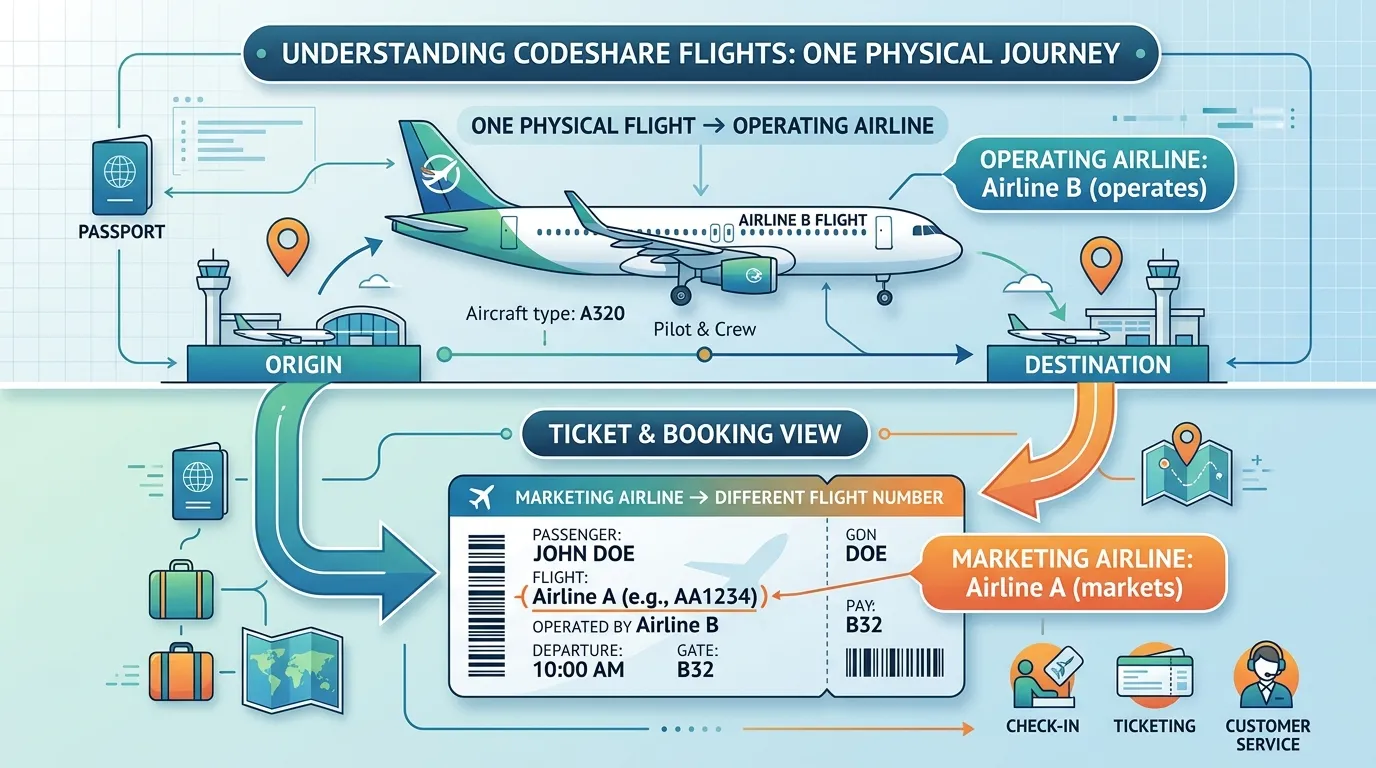
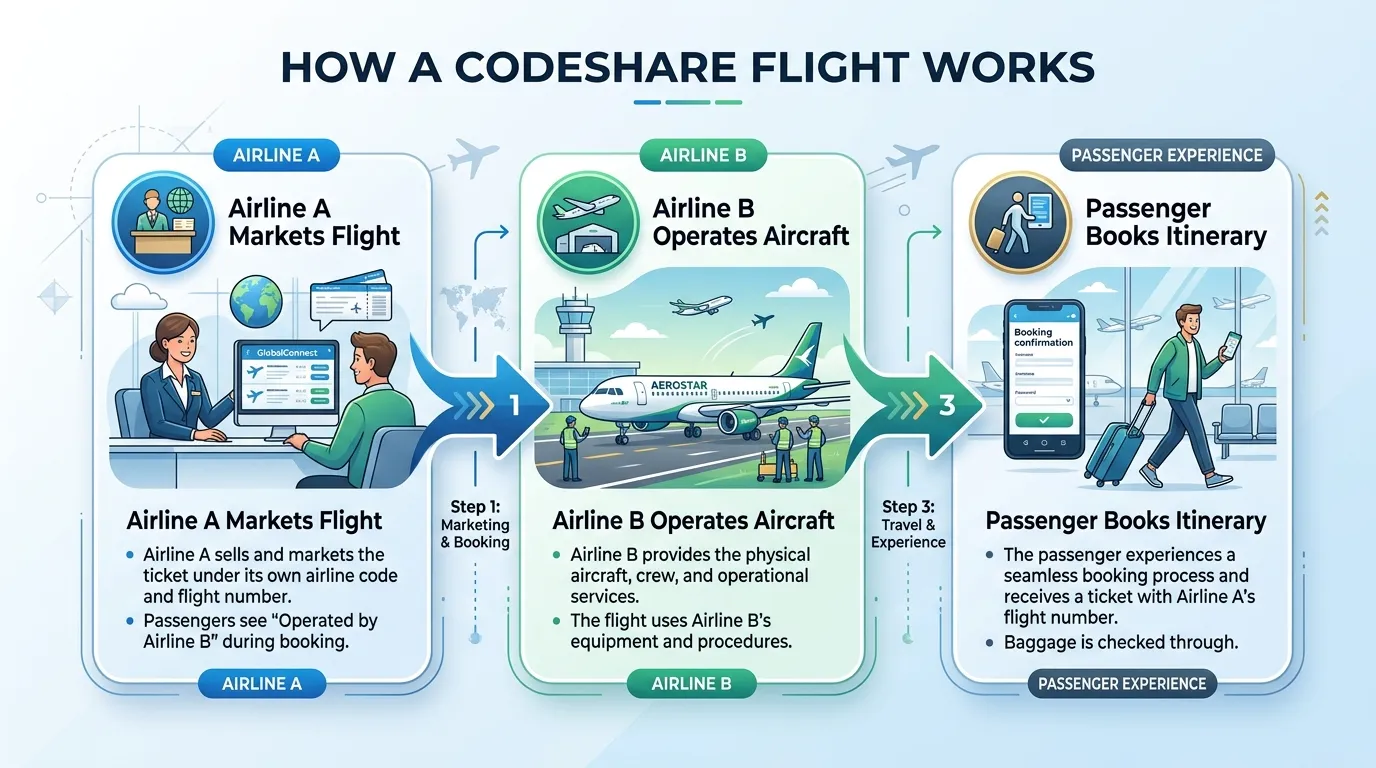
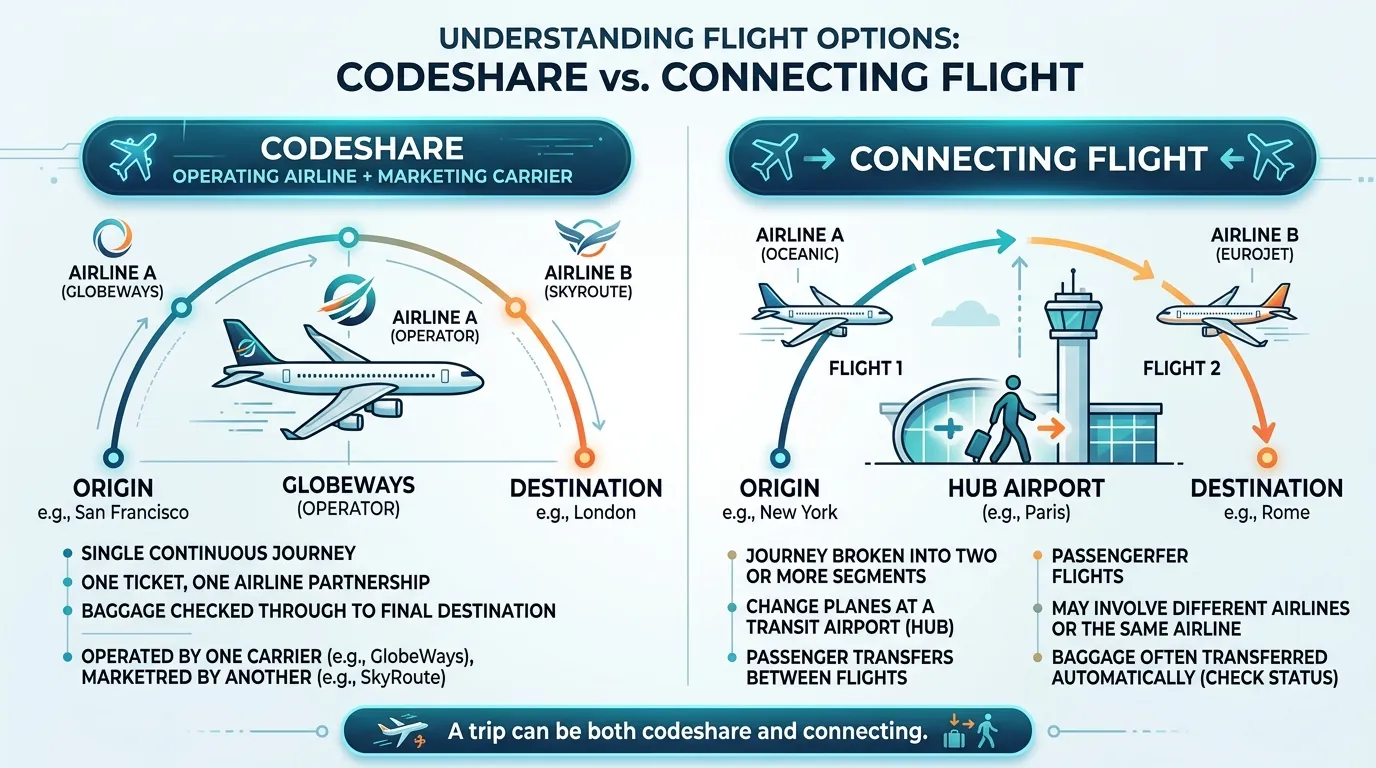
Sometimes, the airline you booked from and the airline physically operating the flight may differ. This is called a codeshare.
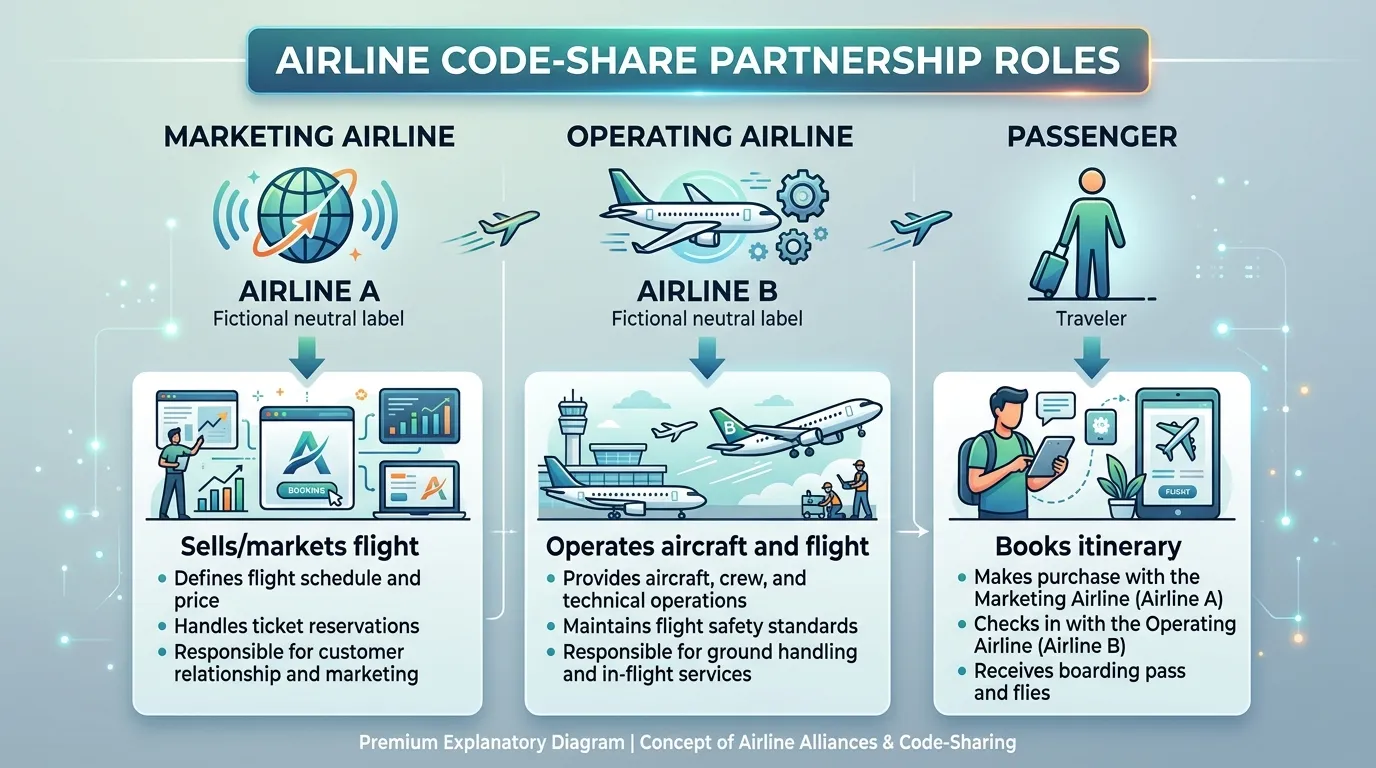
In a codeshare, the marketing carrier is the airline that sells you the ticket and puts its flight number on your booking confirmation. The operating carrier is the airline that provides the physical aircraft, the pilots, and the cabin crew. Always check which airline is operating your flight to ensure you go to the correct check-in desk at the airport.
For more details, read: What Is a Codeshare Flight? How Codeshare Flights Work.
Special Case: Multi-Airline Itineraries
A single booking can easily include multiple airlines if you have layovers.
When flying on a complex itinerary, travelers should verify the ticketing carrier, the operating carrier for each segment, the connection airports, the baggage arrangements (whether bags check through to the final destination), and the check-in process. Airline practices vary, and not all multi-airline itineraries share identical ticketing or baggage transfer arrangements.
Conclusion
Understanding your travel documents removes the stress from airport departures. To recap: your booking confirmation acts as the receipt and itinerary summary. The e-ticket is the digital record proving your journey is fully paid for and issued. Your PNR (booking reference) is the code you use to manage your trip, and your boarding pass is the final document you receive after check-in to access the aircraft.
Airline and booking-platform terminology can vary, so always look for your specific e-ticket number as proof of purchase. Before heading to the airport, make sure you can easily access your booking reference, verify your ticket information, generate your boarding pass after check-in, and have all your required travel documents ready. Safe travels!