A PNR, or Passenger Name Record, is the reservation record created when a flight booking is made. Whether you book directly with an airline or through an online travel agency, the airline's reservation system generates this unique record to store your itinerary and travel details.
Travelers usually encounter a short PNR or booking reference when they receive their flight booking confirmation email. This alphanumeric code is essential for navigating your journey. It can be used to retrieve a reservation, view specific flight details, select seats, and, depending on the airline, manage parts of the booking online.
However, terminology in the aviation industry can be confusing. It is crucial to understand that a PNR is not the same as your e-ticket number or boarding pass. While they are all connected to your trip, they serve completely different operational functions.
 Your PNR or booking reference is the key to retrieving and managing your flight reservation.
Quick Answer: What Is a PNR Number?
PNR stands for Passenger Name Record. In everyday airline travel, travelers commonly use the PNR/booking reference to retrieve and manage a flight reservation.
- ✓PNR / Booking Reference: Finds the reservation.
- ✓Ticket Number: Identifies the issued ticket.
- ✓Boarding Pass: Used after check-in for boarding.
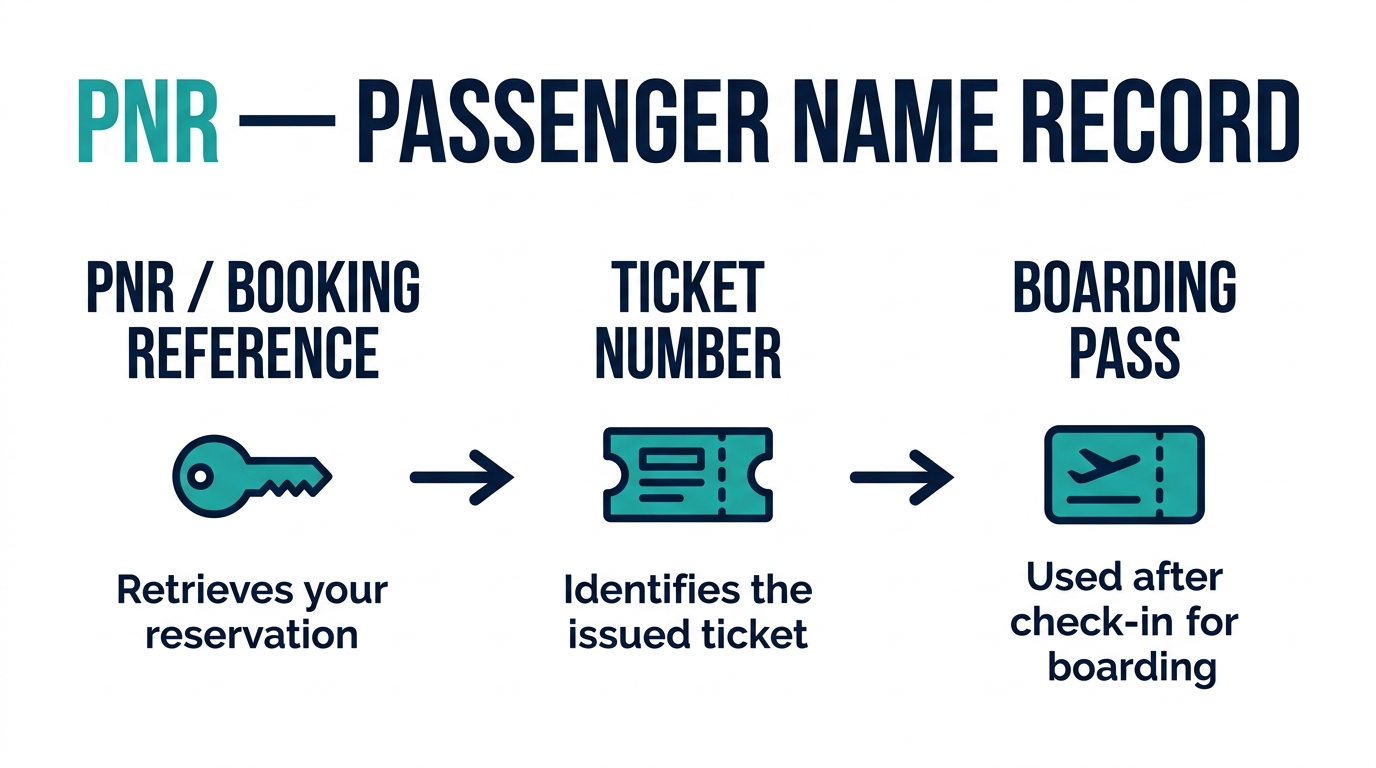 The PNR retrieves your reservation, the ticket number proves payment, and the boarding pass is issued only after check-in.
What Does PNR Stand For?
PNR stands for Passenger Name Record.
- Passenger: The individual or group of individuals traveling on the specific booking.
- Name: The primary identifier connecting the traveler's identity to the booked seats.
- Record: The digital file in the airline's central reservation system that stores all the details about the trip.
In everyday travel, you don't need to understand the deep technical architecture of airline databases. You just need to know that your PNR is the digital folder holding your trip together.
Comparing Fares for Your Route?
Search live multi-airline schedules, spot discount windows, and baggage fee rules on FareWander.
What Is a PNR Number in Air Travel?
In air travel, a PNR is connected to a reservation record created in the airline or travel agency's reservation system. Travelers normally see a short reference code associated with that overarching digital record.
Depending on the airline or booking channel, your PNR can help you complete several essential tasks:
- Retrieve your booking online.
- View your complete flight itinerary.
- Check your reservation status.
- Manage eligible booking options (like seat selection or meal requests).
- Access online check-in where supported.
- Review flight details and baggage allowances.
What Does a PNR Look Like?
Airline PNR formats vary. While many use a six-character alphanumeric string, do not assume that every airline uses exactly the same length or combination of characters.
Where Can You Find Your PNR Number?
Your PNR is usually generated immediately after a successful booking. You can typically find it in these common locations:
 Your PNR appears on your confirmation email, airline app, and Manage Booking portal — always labeled clearly.
- Flight booking confirmation email
- Airline mobile app
- Airline "Manage Booking" or "My Trips" web page
- Travel agency or OTA account dashboard
- SMS or booking notification where provided
- E-ticket or itinerary documents where displayed
Depending on the airline, the label for this code may vary. It might be called a PNR, Booking Reference, Booking Code, Confirmation Code, Record Locator, or Reservation Number.
Planning Travel Logistics?
Use FareWander tools to calculate flight times, luggage rules, and visa requirements.
Where Is the PNR on a Flight Ticket?
The PNR or booking reference is commonly displayed prominently near the top of a booking confirmation email or digital itinerary. However, because airline layouts differ, there is no single universal location.
How to Find Your PNR in Your Email
If you need to find your PNR quickly, follow this practical step-by-step guide:
- Search your inbox for the airline or online travel agency name.
- Use search terms such as "booking confirmation," "flight confirmation," "reservation," or "itinerary."
- Open the correct confirmation email for your upcoming trip.
- Look for the code labeled as PNR, booking reference, or confirmation code.
- Save the reference securely (e.g., take a screenshot, write it down, or flag the email).
Important: Do not share your PNR or screenshots of your booking confirmation publicly on social media.
How to Find Your PNR on an Airline Website
If you booked directly with an airline while logged into your frequent flyer account:
- Open the airline's official website.
- Navigate to the Manage Booking or My Trips section (menu names vary by airline).
- Log into your account using your credentials.
- Retrieve the upcoming booking from your dashboard.
- Find the booking reference/PNR displayed in the trip summary.
How to Check a Flight Using a PNR
A PNR can often be used to retrieve a specific reservation to check its status. The typical process involves:
- Open the official airline website or app.
- Select Manage Booking or My Trips.
- Enter your booking reference/PNR.
- Enter the passenger's last name or required identification information.
- Retrieve the reservation.
- Review your updated flight details.
- ✓Public flight-status tool: Uses the flight number and date to show if a plane is on time. No PNR needed.
- ✓Manage Booking portal: Uses your booking reference and passenger details to show the status of your specific personal reservation.
Learn more: How to Check Your Flight Status Online
What Can You Do With a PNR?
Your PNR is your key to managing your travel. Here is a breakdown of what you can typically do:
| Task | PNR / Booking Reference Useful? |
|---|---|
| Retrieve booking | Usually |
| View itinerary | Usually |
| Check flight details | Usually |
| Online check-in | Often, depending on airline |
| Select / change seat | Often, subject to fare/airline |
| Review baggage | Often |
| Change booking | Sometimes, subject to fare rules |
| Cancel booking | Sometimes, subject to fare rules |
| Check public flight status | Usually flight number is more useful |
Note: Airline terminology and booking-system workflows can vary.
PNR vs Booking Reference
In everyday airline use, the PNR and the booking reference may be presented to the traveler as the exact same or closely related identifier.
However, complex airline reservation systems can involve different backend records. You do not need to create an artificial distinction. Just remember: your airline may label the code as a PNR, booking reference, confirmation code, or record locator. They are all keys to the same door.
PNR vs Ticket Number
| Identifier | Purpose | Example |
|---|---|---|
| PNR / Booking Reference | Identifies and retrieves the reservation record. | FW7K2P |
| Ticket Number | Identifies the officially issued electronic ticket. Proves payment. | 123-4567890123 |
One reservation (one PNR) can contain one or more ticket records depending on the itinerary, the number of passengers, and the ticketing arrangement.
 Your PNR and ticket number are two separate identifiers — never confuse them.
PNR vs E-Ticket
Your PNR is the reservation record reference. Your e-ticket (electronic ticket) is the digital record of the issued ticket proving payment and a finalized contract of carriage. A booking confirmation document sent to your email will typically display both.
Learn more: Flight Booking Confirmation vs E-Ticket: What's the Difference?
PNR vs Booking Confirmation
A booking confirmation is the communication or document sent to the traveler detailing the trip. The PNR is the reservation reference associated with that booking. The confirmation document contains the PNR — therefore, the booking confirmation itself is not the PNR.
PNR vs Boarding Pass
| Document | When Issued | Primary Use |
|---|---|---|
| PNR / Booking Reference | At the time of booking. | Retrieve and manage your reservation before the flight. |
| Boarding Pass | After check-in only. | Used at airport security and the boarding gate. |
The standard booking workflow looks like this:
 Your PNR manages the reservation; a boarding pass is only generated after you complete check-in.
What Information Is Stored in a PNR?
Depending on the booking system and context, the reservation record can contain a wealth of data to facilitate your travel:
- Passenger name
- Itinerary and flight segments
- Booking status
- Booking class
- Contact details (email, phone number)
- Ticketing information
- Seat information where applicable
- Baggage information where available
- Special service information where applicable
Because booking information contains sensitive personal data, do not publish your PNR, booking reference, passport number, phone number, email, or ticket number publicly.
Can Someone Use My PNR to Access My Booking?
A PNR or booking reference is sensitive information. Many airline systems use it, together with the passenger's last name, to retrieve and manage bookings on their public websites.
Therefore, you should:
- Do not post your PNR publicly.
- Do not share unredacted screenshots of your booking on social media.
- Blur your booking reference and ticket number in any travel posts.
- Be careful when forwarding booking documents to third parties.
 Always treat your PNR like a password — it can grant access to your booking.
What If You Lose Your PNR?
If you cannot find your PNR, do not panic. Follow these practical recovery steps:
- Search your email inbox thoroughly using terms like "booking confirmation," "flight confirmation," or the airline name.
- Check the official airline app if you have an account.
- Check your travel agency account portal.
- Check your SMS messages or app notifications.
- Contact the airline directly and provide your name and flight details.
- Contact your booking provider if you booked through a travel agency.
- Have appropriate verification information ready (like the credit card used or your passport) when speaking to agents.
Can You Find a Flight Without a PNR?
Often, yes. Public flight-status searches commonly use the flight number, travel date, departure airport, and arrival airport to track an aircraft's operational status. However, retrieving your personal reservation usually requires a booking reference, an e-ticket number, or other secure verification.
Can You Check PNR Status Online?
"PNR status" can mean completely different things depending on the context of your travel. For airline travel, checking your PNR status usually means checking your reservation status (e.g., confirmed or pending), ticket status, or itinerary updates.
Important: Do not confuse airline PNR terminology with railway PNR.
Airline PNR vs Railway PNR
In countries like India, the term "PNR status" is heavily associated with train travel. It is vital to separate the two.
| Type | Associated With | Primary Use |
|---|---|---|
| Airline PNR | Airline / online travel agency reservation. | Retrieve flight details, seat selection, online check-in, manage air travel booking. |
| Railway PNR | Railway reservation system (e.g., Indian Railways). | Identify a train reservation, check waitlist status, confirm coach/berth allocations. |
Airline PNRs do not function identically to railway PNRs.
 Airline and railway PNRs serve completely different reservation systems and should not be confused.
PNR for Connecting Flights
A single booking can contain multiple flight segments. For example:
Travelers should check their complete itinerary to identify whether all segments are under the same reservation, as separate bookings will generate different PNRs.
 A single PNR can hold multiple connected flight segments within one booking.
PNR for Codeshare Flights
A codeshare itinerary involves a marketing carrier (who sells the ticket) and an operating carrier (who flies the plane). A single reservation may display flight numbers associated with different airlines.
Always check your booking reference, operating carrier, flight number, and ticket information carefully before travel.
Learn more: What Is a Codeshare Flight? How Codeshare Flights Work and What Does "Operated By" Mean on a Flight Ticket?
PNR and Online Check-In
Many airlines allow passengers to retrieve a booking online using a booking reference/PNR and passenger details. You can then complete online check-in if eligible.
Keep in mind that online check-in workflows vary by airline and route, and may also require you to input passport or travel document details and confirm visa requirements before a boarding pass is generated.
 The PNR is the anchor of the booking journey — from reservation through to boarding pass generation.
PNR and Flight Status
| Check Type | What It Shows | What You Need |
|---|---|---|
| PNR / Manage Booking | Your personal reservation status and itinerary details. | PNR + last name |
| Public Flight Status | Operational status of the physical aircraft (on time, delayed, cancelled). | Flight number + travel date |
For public flight status checking, the flight number and travel date are usually more useful than a PNR. Learn more: How to Check Your Flight Status Online
Common PNR Mistakes
- Confusing the PNR with the 13-digit ticket number.
- Confusing the PNR with the boarding pass.
- Assuming every airline worldwide uses the exact same character format.
- Sharing the PNR publicly on social media.
- Checking the wrong airline website (especially on codeshare flights).
- Using the marketing carrier's app for check-in when the operating carrier requires it.
- Assuming having a PNR guarantees your ticket is successfully issued.
- Losing the booking confirmation in a cluttered email inbox.
- Entering the wrong passenger details when trying to retrieve the booking.
- Confusing airline PNR workflows with railway PNR workflows.
PNR Safety Checklist
- ☐Keep PNR private — do not share publicly
- ☐Keep ticket number private
- ☐Avoid public booking screenshots on social media
- ☐Verify the airline website before entering booking info
- ☐Use only official airline or agency websites
- ☐Keep a secure copy of your booking confirmation
- ☐Check passenger name matches your ID
- ☐Check flight date and route are correct
- ☐Check ticket status is confirmed
- ☐Check travel document and visa requirements
 Use this checklist every time you book a flight to make sure your PNR and booking details are in order.
Frequently Asked Questions
A PNR number, or Passenger Name Record, is an alphanumeric code generated by an airline's reservation system. It acts as a digital reference to store and retrieve your specific flight booking details and itinerary.
Conclusion
Understanding the difference between your travel documents is the key to a stress-free journey. Your PNR (Passenger Name Record) or booking reference acts as the digital key to retrieve your reservation. It is distinct from your ticket number, which proves your seat is paid for, and your e-ticket, which is the official travel record. Ultimately, none of these are your boarding pass, which you only receive after checking in for your flight.
Keep your booking reference accessible so you can manage your itinerary and check in efficiently — but treat it as private booking information rather than something to post publicly. Safe travels!