The easiest way to check your flight status online is usually to search the operating airline's official website or app using your flight number and travel date. When you are heading to the airport or picking someone up, having accurate, up-to-date operational information is essential.
Travelers can often check their flight status through several digital channels, including the airline's website, the airline's official mobile app, the departure or arrival airport's website, a booking platform, or a reputable flight-tracking service. When you check your status, you can typically find information regarding whether the flight is on time, experiencing a delay, or facing a cancellation. You can also view scheduled and estimated departure or arrival times, along with specific gate, terminal, and boarding information where available.
Keep in mind that terminology and system capabilities differ across the aviation industry; not every single flight status or notification type is available through every platform.
 The easiest starting point is the operating airline's official website or app.
How to Check Your Flight Status Online (Quick Answer)
- Find your flight number on your booking confirmation or itinerary.
- Go to the operating airline's official website or mobile app.
- Open the "Flight Status" or equivalent section on the homepage.
- Enter your flight number and travel date.
- Check the current departure or arrival status.
- Verify your assigned gate and terminal where available.
- Recheck the status right before leaving for the airport.
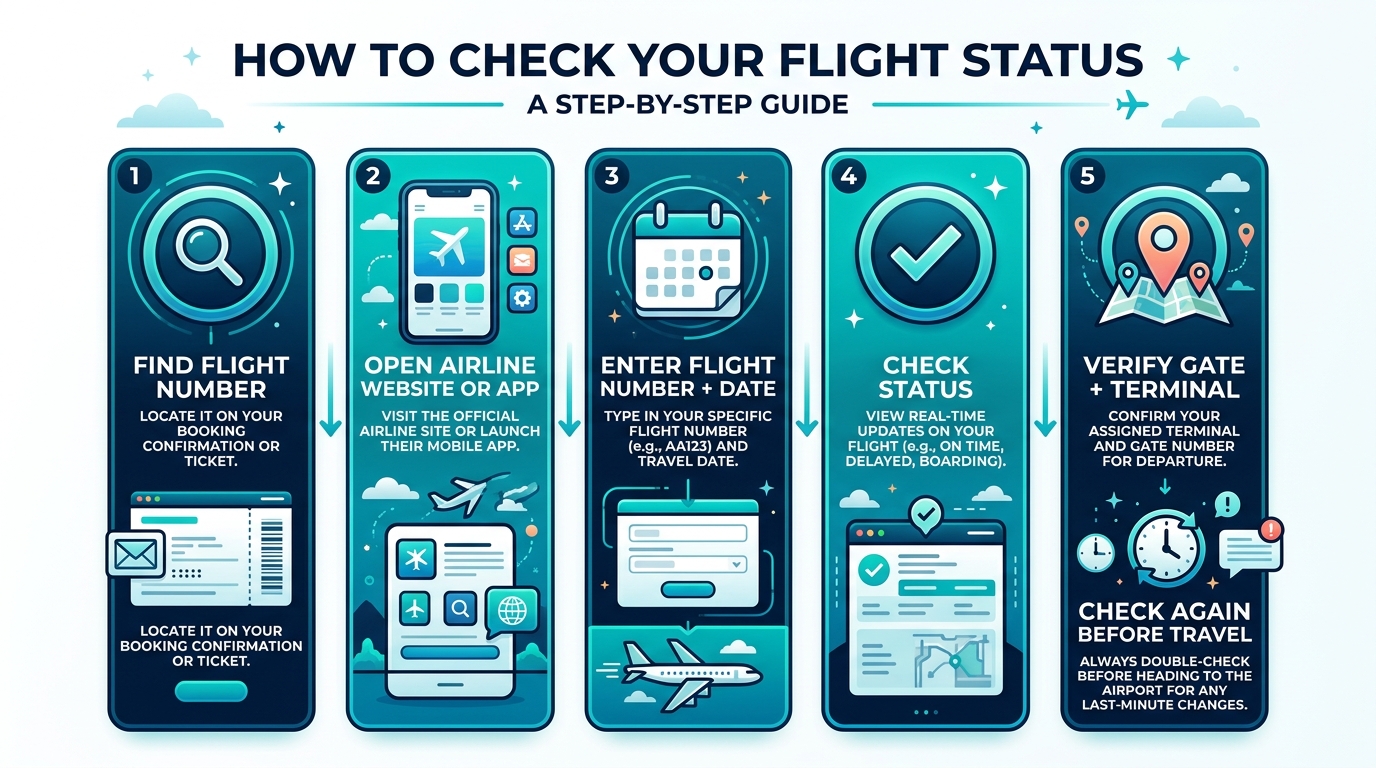 Follow these six steps to check your flight status accurately on the day of travel.
What Information Do You Need to Check a Flight Status?
When preparing to look up your flight's operational details, having the right information on hand speeds up the process.
| Category | Information | Notes |
|---|---|---|
| Usually useful | Flight number | The specific code assigned to your route (e.g., FW 218). |
| Usually useful | Travel date | The calendar date your flight is scheduled to depart. |
| Usually useful | Departure airport | Where your flight takes off. |
| Sometimes useful | PNR / Booking reference | The alphanumeric code used to retrieve and manage your reservation. |
| Sometimes useful | Passenger last name | Often required alongside a PNR to log into an airline's Manage Booking portal. |
A PNR is not strictly required for public flight-status searches. Many airline and airport flight-status tools are designed to use only the flight number and travel date so anyone — like a family member picking you up — can view operational times without needing access to your private reservation.
Comparing Fares for Your Route?
Search live multi-airline schedules, spot discount windows, and baggage fee rules on FareWander.
How to Check Flight Status on the Airline's Website
Your primary source for the most accurate operational decisions will always be the operating airline.
- Find the airline operating your flight: Look at your booking confirmation to see who is flying the plane.
- Open its official website: Navigate directly to the carrier's homepage.
- Find the status tool: Look for a tab labeled "Flight Status", "Manage Booking", or an equivalent term.
- Enter required details: Type in your flight number and travel date where required.
- Review status: Look for the current operational condition (e.g., On Time, Delayed, Cancelled).
- Check gate/terminal: Note where you need to go once you reach the airport.
- Check notifications: Look for any red banners or operational updates regarding weather or system outages.
Features and terminology vary by airline. Website labels and layouts will differ depending on the carrier.
How to Check Flight Status in the Airline App
For travelers on the go, the airline's mobile app is highly convenient.
- Download and open the official airline app on your smartphone.
- Retrieve your booking using your PNR and last name.
- View your upcoming trip on the dashboard.
- Tap on the flight to check its current status.
- Enable push notifications where available.
When enabled, useful notifications may include alerts for a delay, cancellation, gate change, schedule change, or a boarding update. Do not assume every airline offers every single notification type; capabilities depend heavily on the airline's technological infrastructure.
How to Check Flight Status Using Your Flight Number
The flight number is often the fastest way to identify a specific scheduled flight service. You can plug this directly into an airline's status page or an airport's departure board.
Because airlines reuse flight numbers for the same route every day, flight numbers repeat on different dates. Therefore, the travel date is a mandatory piece of information to ensure you are checking the correct aircraft.
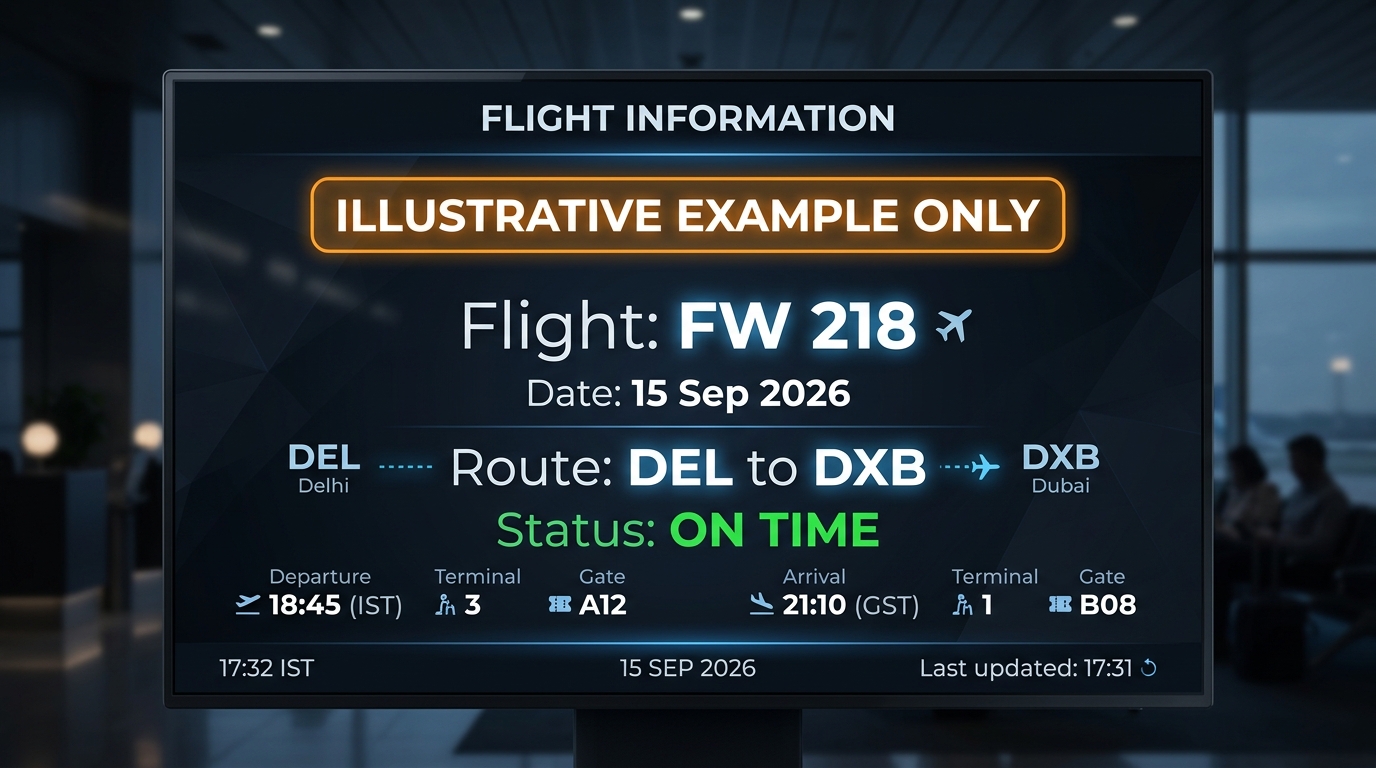 Always combine your flight number with the travel date when searching for flight status.
Planning Travel Logistics?
Use FareWander tools to calculate flight times, luggage rules, and visa requirements.
How to Check Flight Status Using Your PNR
Your PNR (booking reference) is the alphanumeric code used to retrieve your reservation from the airline's database. It helps retrieve a reservation through an airline or booking platform.
| Identifier | What It Identifies | Example |
|---|---|---|
| Flight number | A scheduled flight service. | FW 218 |
| PNR / Booking reference | Your specific personal reservation. | ABC123 |
Using your PNR in the airline's "Manage Booking" section will pull up your specific itinerary, which will often display the flight status alongside your seat and baggage information.
How to Check Flight Status on the Airport Website
Many airports publish live data directly on their official websites. This information typically includes departures, arrivals, estimated times, gates, terminals, cancellations, and operational updates.
Checking the airport website can be especially useful when you need to verify gate and terminal information, as airport systems dictate gate assignments. Always use official airport websites whenever referencing a specific airport's departures.
How to Check Flight Status Without a PNR
Yes, in many cases, you can check a flight without a PNR.
A traveler or a family member can often use the flight number, the travel date, or the departure/arrival airport combination through the airline or airport's public flight-status tool. Since these tools are public, they do not require a private booking reference.
How to Check if a Flight Is Delayed
When checking your status online, look for specific terminology indicating a delay:
- "Delayed"
- "Estimated departure"
- "Estimated arrival"
- "Delay"
- "Operational delay"
The estimated time of departure or arrival can change more than once as the airline assesses ground operations, weather, or crew availability.
Practical advice: Check your status again shortly before leaving for the airport. Never rely on a single status check from hours earlier.
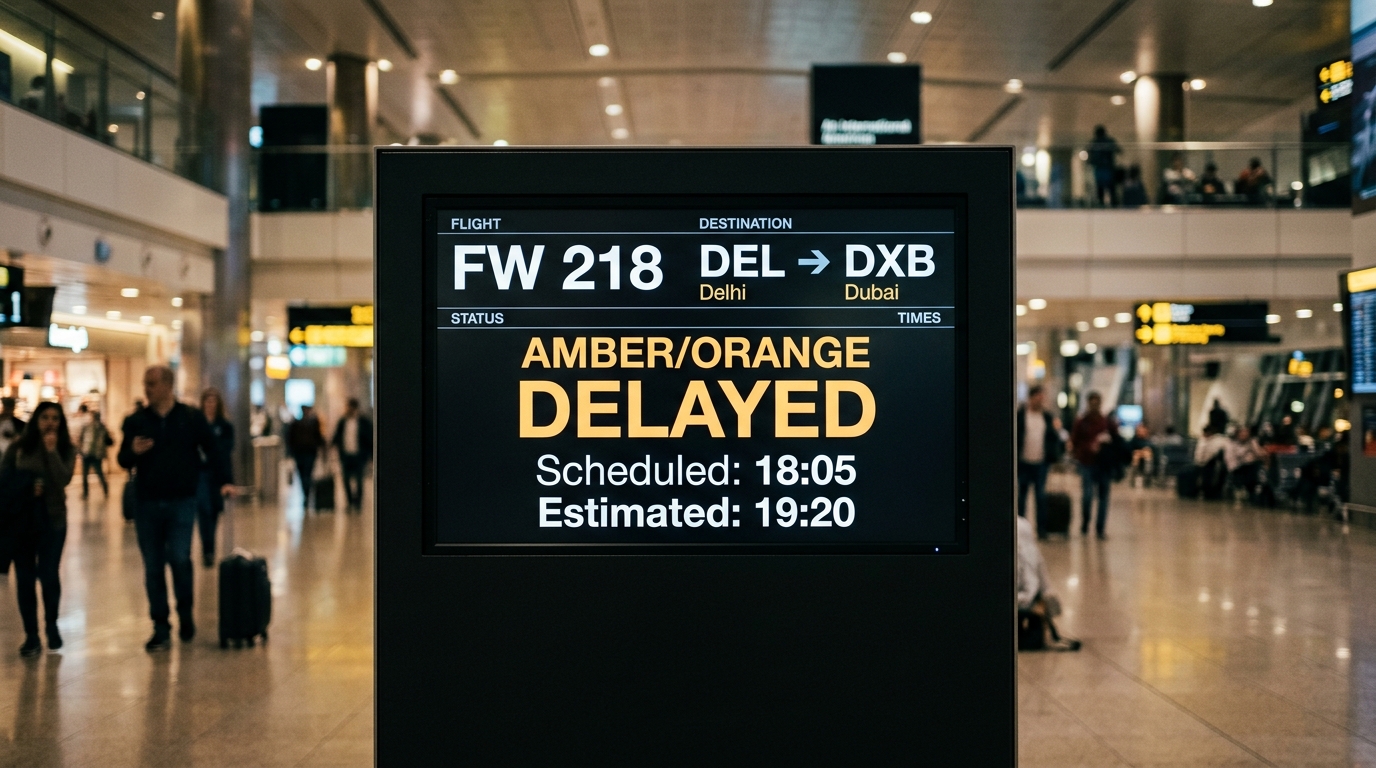 A delayed flight will display an estimated departure time that differs from the originally scheduled time.
How to Check if a Flight Is Cancelled
If your flight is officially scrubbed, the status page will reflect this clearly. Look for:
- "Cancelled"
- "Canceled"
- "Flight cancellation"
- "Disrupted"
If you suspect a disruption, check your airline notifications, the airline's website or app, and the airport website. If your flight is cancelled, contact the airline or your booking provider regarding rebooking, refunds, alternative flights, or onward connections. Compensation or rebooking is subject to the applicable rules and policies of your ticket and aviation regulations.
 Check your airline app or website immediately if you suspect a cancellation.
What Does "On Time" Mean?
"On time" generally means the flight is currently expected to operate according to the published schedule or within the airline system's definition of on-time status.
It does not guarantee an exact departure time down to the minute. Operational information can change rapidly, and an "on time" flight can face a sudden delay if an issue arises during boarding.
What Does "Delayed" Mean?
A delayed flight is simply one that is not expected to operate at its original schedule. There is a difference between scheduled time and estimated time.
What Does "Departed" Mean?
The flight has officially left the departure airport. Be sure to understand the difference between these terms — they are not interchangeable:
- Boarding: Passengers are getting on the plane.
- Gate closed: Passengers can no longer board.
- Departed: The aircraft has pushed back from the gate.
- Airborne: The wheels have left the runway.
What Does "Landed" or "Arrived" Mean?
Actual arrival status generally indicates that the aircraft has arrived at its destination. However, distinguish between:
- Landed: The plane has touched down on the runway.
- At gate: The plane has parked and doors are preparing to open.
- Baggage available: Luggage has reached the carousel.
These are not necessarily the same event, and there can be a time gap between landing and getting off the plane.
What Does "Gate Changed" Mean?
Airports and airlines can change gates for a variety of operational reasons, such as another plane blocking the original gate. If you see "Gate Changed," you must check the airline app, airport monitors, or the airport website to find your new departure area. Always follow the latest official airport or airline announcements once inside the terminal.
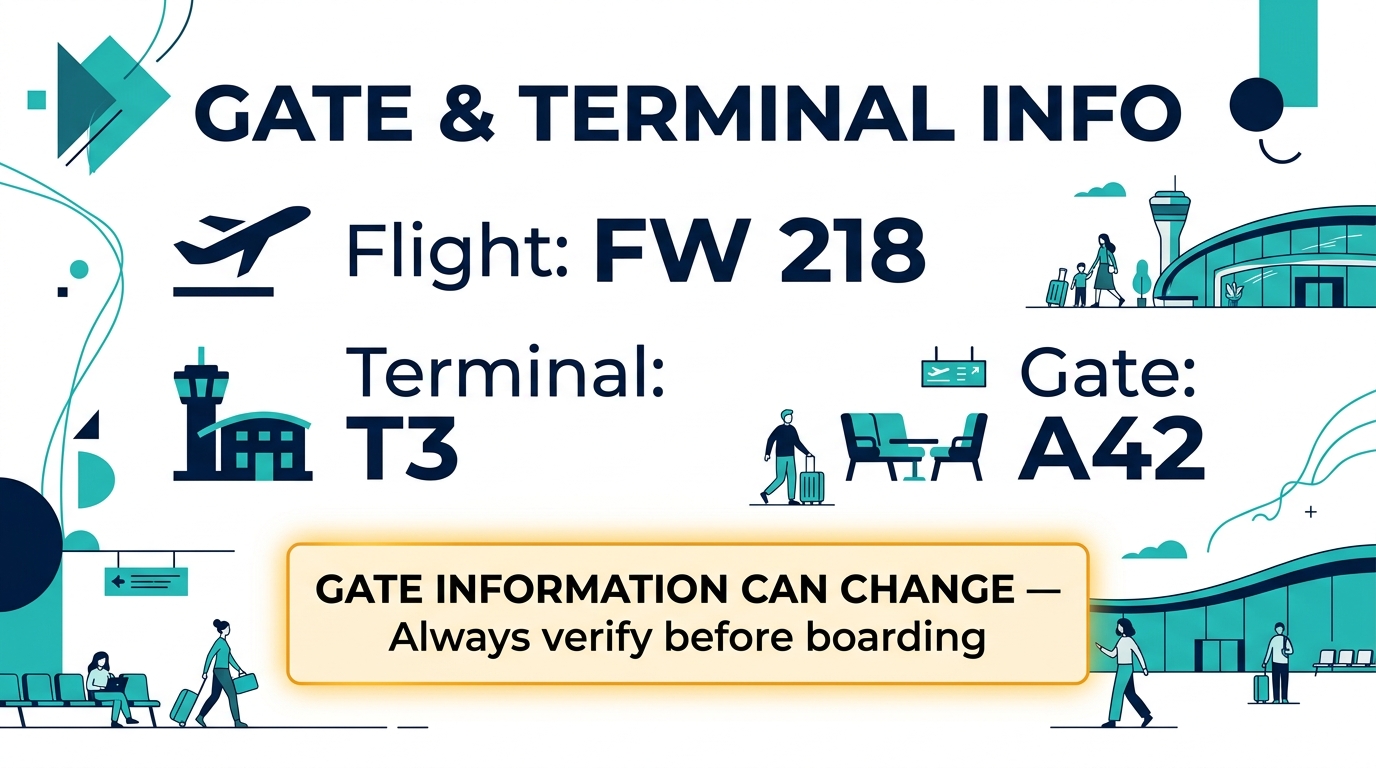 Gate assignments can change — always verify before heading to the boarding area.
What Does "Terminal Changed" Mean?
Terminal changes can be significant because travelers may need additional transfer time to navigate the airport. You may need to factor in:
- An airport shuttle
- A terminal transfer
- Security re-screening
- Immigration requirements
Not all airports require security re-screening for a terminal change, but it is common.
What If the Flight Status Says "On Time" but the Flight Looks Delayed?
Sometimes you are sitting at the gate past boarding time, but the app still says "On Time." Possible reasons include:
- Systems update at different times.
- Operational changes are still being processed by the gate agent.
- Information lag in the network.
- A minor gate or ground handling issue that the airline expects to resolve rapidly.
- Late aircraft rotation.
Action: Check the airline's official channel and airport information. If you are already at the airport, follow the airport displays and listen closely to airline announcements at the gate.
What If the Airline and Airport Show Different Information?
This can occasionally happen because different digital systems may update at different times.
| Step | Recommended Action |
|---|---|
| 1 | Check the operating airline's official status. |
| 2 | Check the airport's departure boards. |
| 3 | Check your airline app notifications. |
| 4 | Ask airline staff at the airport if you are already traveling. |
| 5 | Allow time for systems to sync and update. |
Neither source is automatically correct in every single case, but the airline usually makes the final operational call.
What Is the Best Way to Check Flight Status?
| Method | Best For | Advantages | Limitations |
|---|---|---|---|
| Airline website | Official flight status | Primary operational source | Interface varies by airline |
| Airline app | Notifications + trip tracking | Highly convenient on the go | Requires downloading app/account |
| Airport website | Gate/terminal/departures | Highly airport-specific | Coverage varies by airport |
| Booking platform | Reservation overview | Convenient summary | May not show latest operational detail |
| Flight tracker | Broader aircraft tracking | Useful visual overview | Uses third-party data |
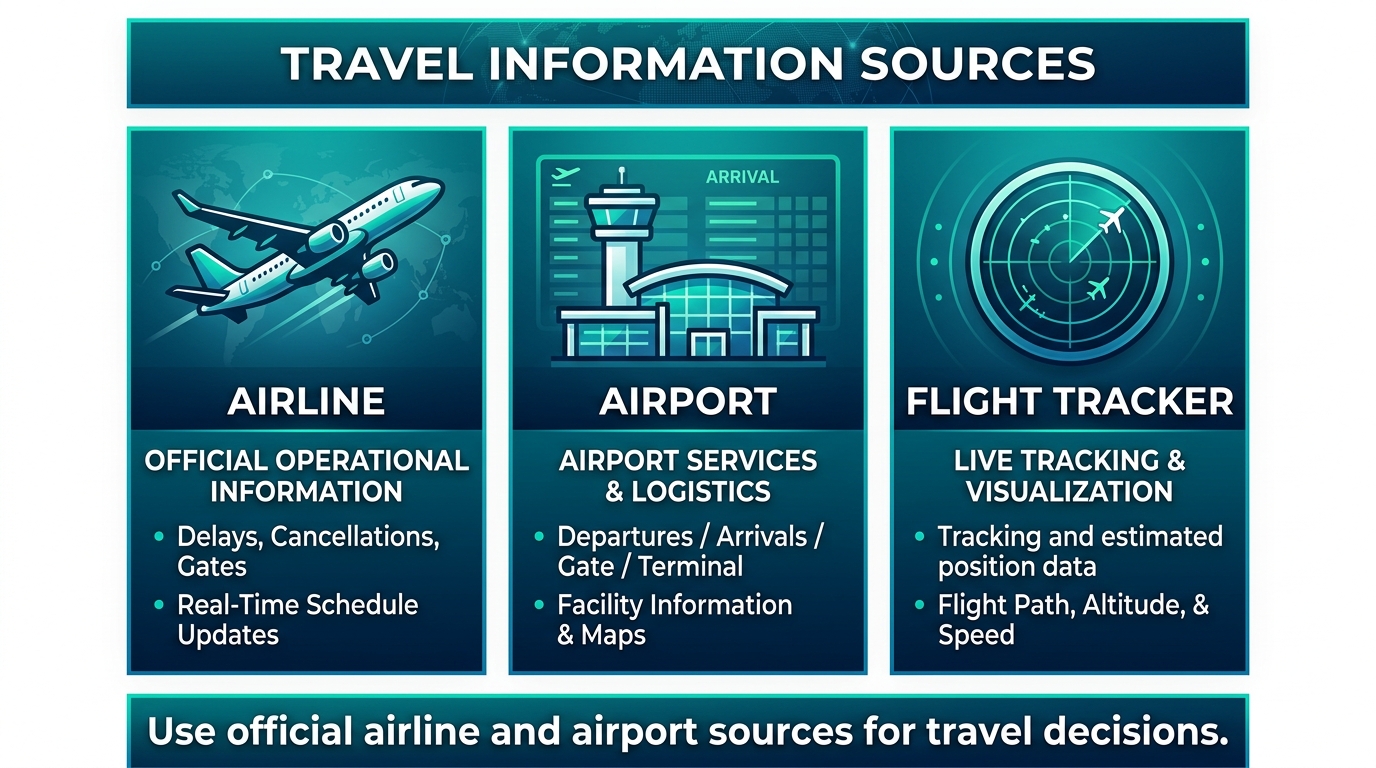 Each source serves a different purpose — use the airline as your primary operational reference.
Do Flight Tracking Websites Show Real-Time Status?
Third-party flight trackers can provide incredibly useful information about an aircraft's position, departure, arrival, delays, and estimated times. However, distinguish tracking data (radar and satellite positioning) from official airline operational decisions. Never assume a flight tracker has "100% real-time accuracy" over the airline's own dispatch system.
How to Check a Connecting Flight
A connecting flight is an itinerary where reaching your final destination requires boarding two or more separate aircraft. You must check each flight segment individually.
Check the first flight, the connecting flight, the connection time, the terminals, the gates, and the operating airline for each leg.
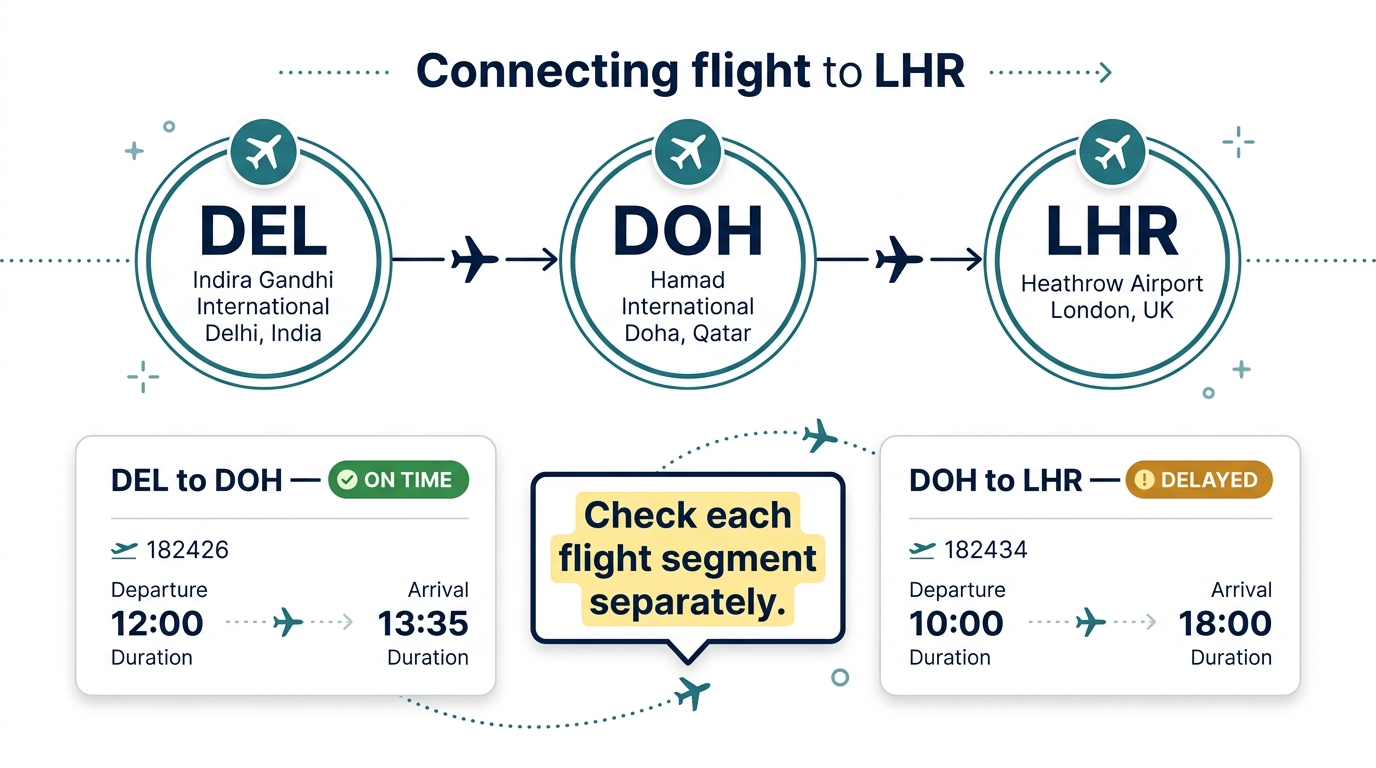 Always check each flight segment independently — a delay on one leg does not automatically update the other.
How to Check a Codeshare Flight
A codeshare is a commercial partnership where one airline markets and sells seats on a flight that is physically operated by another partner airline. A codeshare itinerary may show:
- Marketing airline: The airline that sells and markets the flight.
- Operating airline: The airline that physically provides the aircraft and flight crew.
The operating carrier is particularly relevant for operational flight-status information. Always check the operating airline's website for the most accurate day-of-travel status.
Learn more: What Is a Codeshare Flight? How Codeshare Flights Work and What Does "Operated By" Mean on a Flight Ticket?
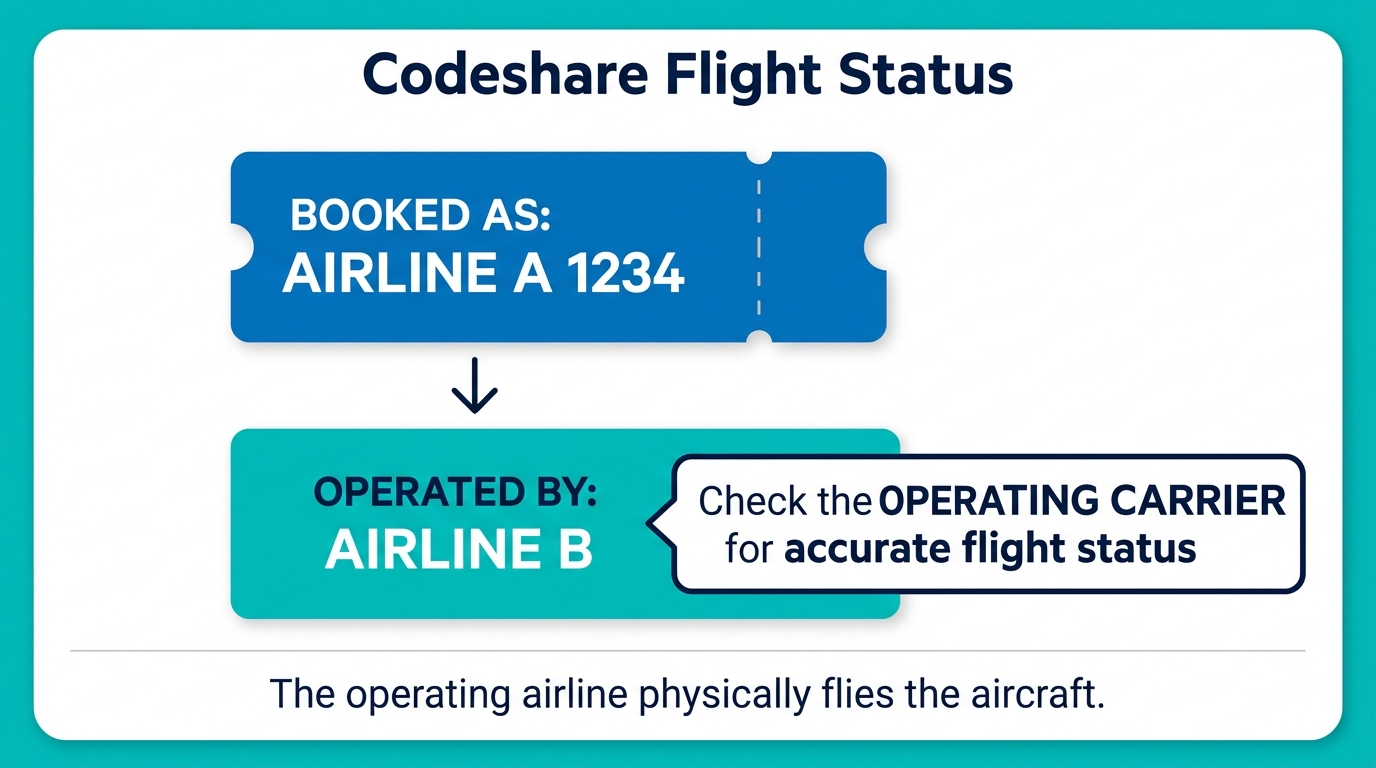 For codeshare flights, always check the operating airline's website for accurate operational status.
How Far in Advance Should You Check Your Flight Status?
- Several days before travel: Check your schedule to ensure no major timetable shifts have occurred.
- The day before: Verify your check-in window and flight times.
- Day of travel: Check again when you wake up.
- Before leaving for the airport: Check the latest operational status.
- At the airport: Monitor airline and airport updates.
- Before boarding: Check the gate and listen for operational announcements.
How Often Should You Check Your Flight Status?
While you don't need to refresh your app constantly, we recommend increased attention:
- On the actual day of travel.
- During severe weather events.
- During major airport disruptions or strikes.
- When connecting to another flight with a tight window.
- When the airline has already notified you of schedule changes.
What If Your Flight Is Delayed or Cancelled?
- Verify the status through the official airline source.
- Check your booking details.
- Check the status of any onward connecting flights.
- Review your airline notifications for rebooking links.
- Contact the airline or booking provider if necessary.
- Do not immediately purchase a replacement ticket without checking available rebooking options first.
- Save all relevant notifications, boarding passes, and receipts.
What If Your Flight Status Has Not Updated?
If your flight is approaching but the status is blank or hasn't refreshed, possible reasons include:
- The flight is still far from departure.
- An operational update is pending but not yet published.
- A schedule change is still processing in the system.
- A system update delay.
Action: Check both the airline and the airport websites, check your booking, and contact the airline if your departure is imminent and you have no gate or time information.
Flight Status vs Flight Schedule: What's the Difference?
| Term | What It Means | Example |
|---|---|---|
| Flight schedule | The planned, published timetable. | Departure 18:30 |
| Flight status | The current, actual operational information on the day of travel. | Delayed — estimated departure 19:20 |
Flight Status vs Boarding Pass
A flight status tells you what is happening with the aircraft and the schedule. A boarding pass is the physical or digital credential issued after check-in that authorizes the passenger for the airport security and boarding process.
Learn more: Flight Booking Confirmation vs E-Ticket: What's the Difference?
Common Flight Status Terms Explained
| Term | Meaning |
|---|---|
| Scheduled | The originally planned time. |
| On time | Operating according to the schedule. |
| Delayed | Not operating on the original schedule. |
| Cancelled | The flight has been scrubbed. |
| Boarding | Passengers are getting onto the plane. |
| Gate closed | No more passengers accepted. |
| Departed | Aircraft has left the gate. |
| Airborne | Aircraft is in the sky. |
| Landed | Aircraft has touched down. |
| Arrived | Aircraft is at the destination gate. |
| Diverted | Flown to a different airport than planned. |
| Rescheduled | A new planned time has been set. |
| Estimated departure | The current projected takeoff time. |
| Estimated arrival | The current projected landing time. |
Common Mistakes When Checking Flight Status
- Checking only Google or a third-party tracker instead of the airline.
- Checking the wrong flight number.
- Forgetting to verify the exact travel date.
- Confusing the marketing airline with the operating airline.
- Checking the departure airport board instead of the arrival airport when picking someone up.
- Assuming an "on time" status cannot change at the last minute.
- Ignoring gate changes.
- Not checking the status of connecting flights.
- Relying on old screenshots of an itinerary.
- Not checking notifications right before leaving for the airport.
Flight Status Checklist Before Leaving Home
- ☐Correct flight number verified
- ☐Correct travel date verified
- ☐Flight status checked on airline app/site
- ☐Departure time verified
- ☐Arrival time verified
- ☐Gate checked
- ☐Terminal checked
- ☐Airline notifications checked
- ☐Connection status checked
- ☐Passport/travel documents ready
- ☐Boarding pass/check-in completed where available
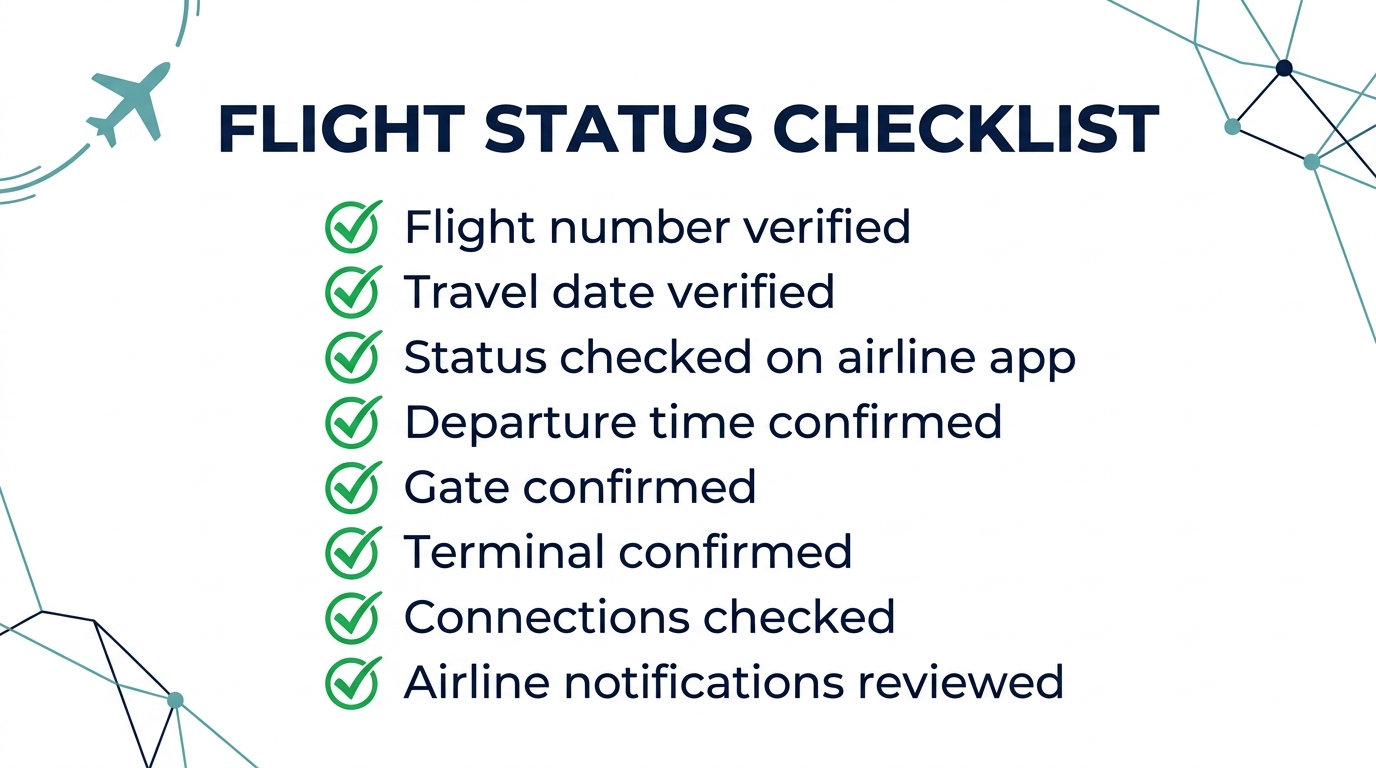 Run through this checklist every time before heading to the airport.
Frequently Asked Questions
The most reliable method is to enter your flight number and travel date into the operating airline's official website or mobile app. You can also check the departure or arrival airport's website for terminal and gate updates.
Conclusion
Whether you are heading out on a vacation or picking up a loved one, checking a flight status online is a straightforward process. By utilizing your flight number or PNR on the operating airline's official website or app, you can quickly find out if a flight is on time, delayed, or cancelled. Remember to also utilize the airport's website to verify your gate and terminal, and pay special attention to the individual segments of connecting flights. Flight trackers offer a great visual overview, but always treat the airline as your primary source for operational decisions.
Check your flight status again on the day of travel — and before leaving for the airport — because operational information can change.